12 of the best AI tools for hardware and electrical engineers in 2026
AI tools for hardware design have quickly become essential over the last couple of years. There are now options for nearly every stage of the design process, from capturing requirements and choosing parts to layout, routing, and reviewing boards. Here are 12 options we think are worth looking at for different parts of your workflow.
A good rule for any AI tool on this list: make sure you have an engineer check the output before anything goes to fab.
We previously covered the best electrical engineering YouTube channels and the best electrical engineering forums.

1. Allspice
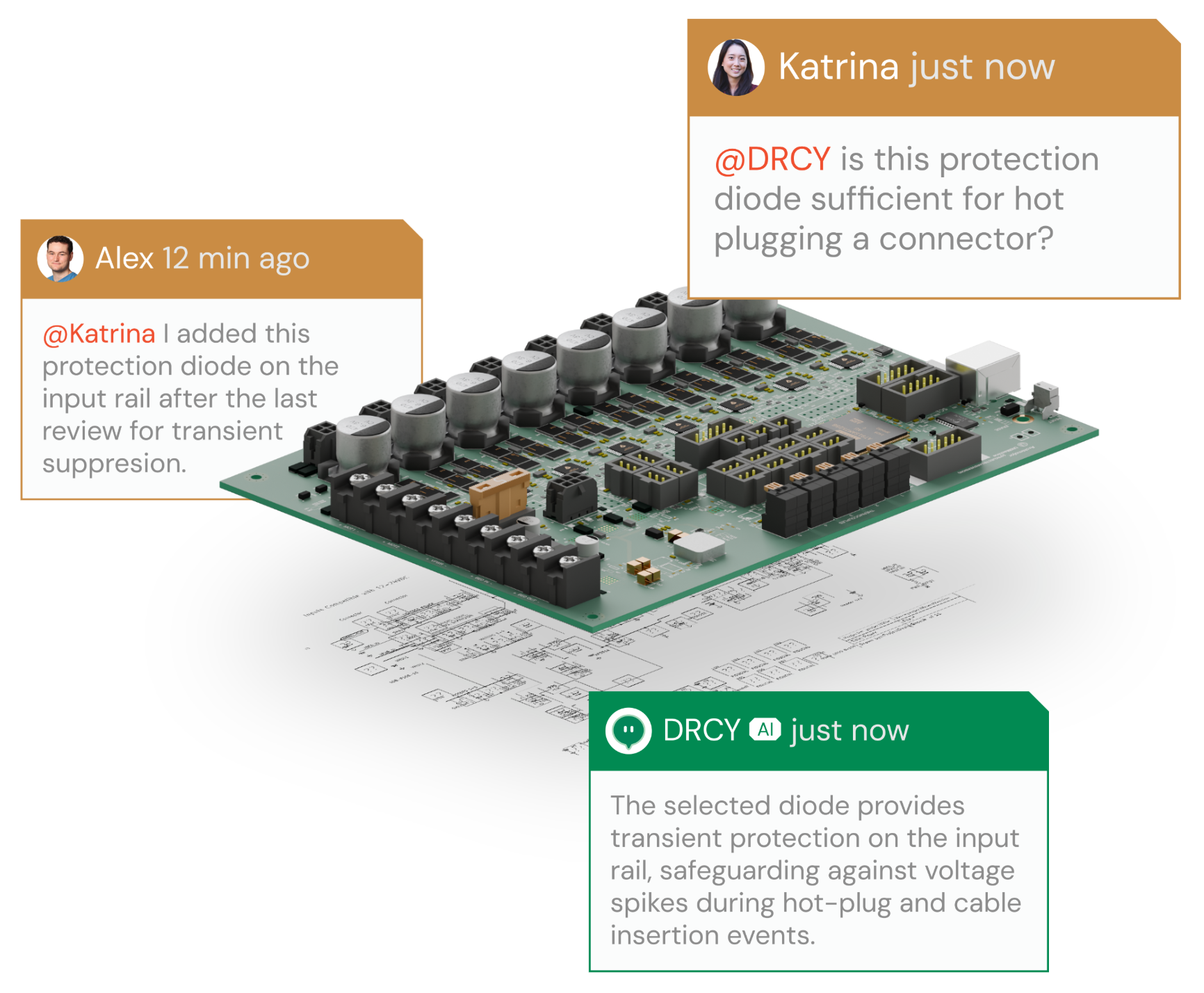
Allspice is the collaboration framework hardware teams use to handle design reviews, version control, and manufacturing release. Allspice brings Git-style version control to native Altium, Cadence, Xpedition, and KiCad files, so teams can compare revisions visually, comment directly on schematics and layouts, and track issues and release in one place. Automations can also be set up to run checks on every review, with PLM/ERP integration keeping hardware synced to the rest of the organization.
Allspice’s AI review agent, DRCY (pronounced "DAR-see"), operates like another reviewer in your organization by catching issues that slip through the cracks and helping with exploration and analysis of the design through a chat interface. Instead of reading a screenshot or PDF, it works directly from the native schematic data, checks it pin by pin against component datasheets, and posts findings like voltage mismatches and swapped signals right on the review. See how DRCY reviews your schematics for the details. Additionally, Allspice is SOC 2 Type 2 certified and never trains AI on customer data, which is critical for IP considerations.
2. Traceformer
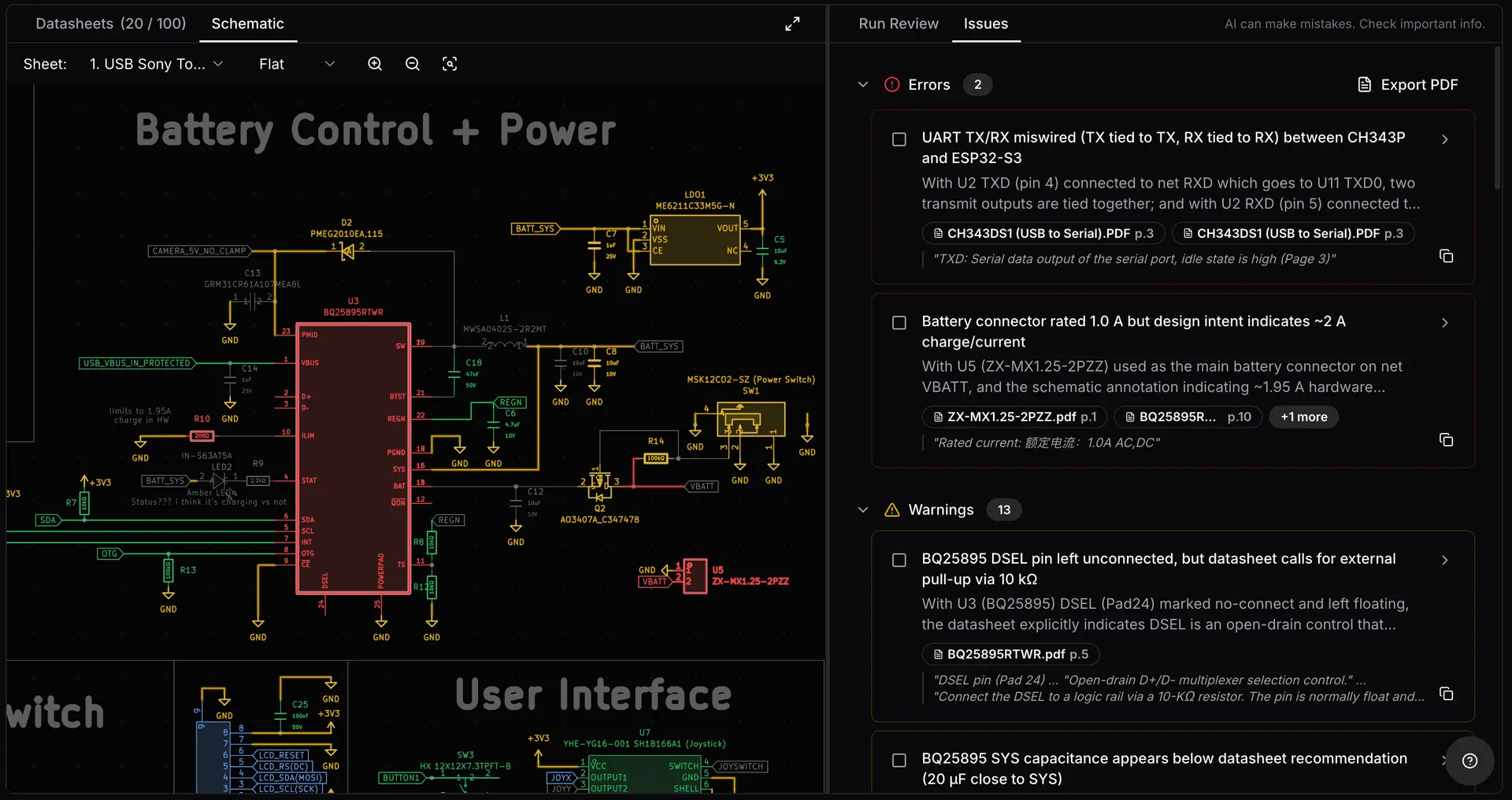
Traceformer made a splash on Hacker News in January, and it's easy to see why. It works with KiCad projects and Altium netlists, pulls the relevant datasheets from Digi-Key and Mouser automatically, and splits the design review across parallel agents that each focus on one subsystem. You can choose OpenAI or Anthropic models.
One of our favorite touches is the cost preview before every run, so there are no surprise bills. It's a solid pick for solo engineers and small teams, and the free tier includes one review a month.
3. SnapMagic
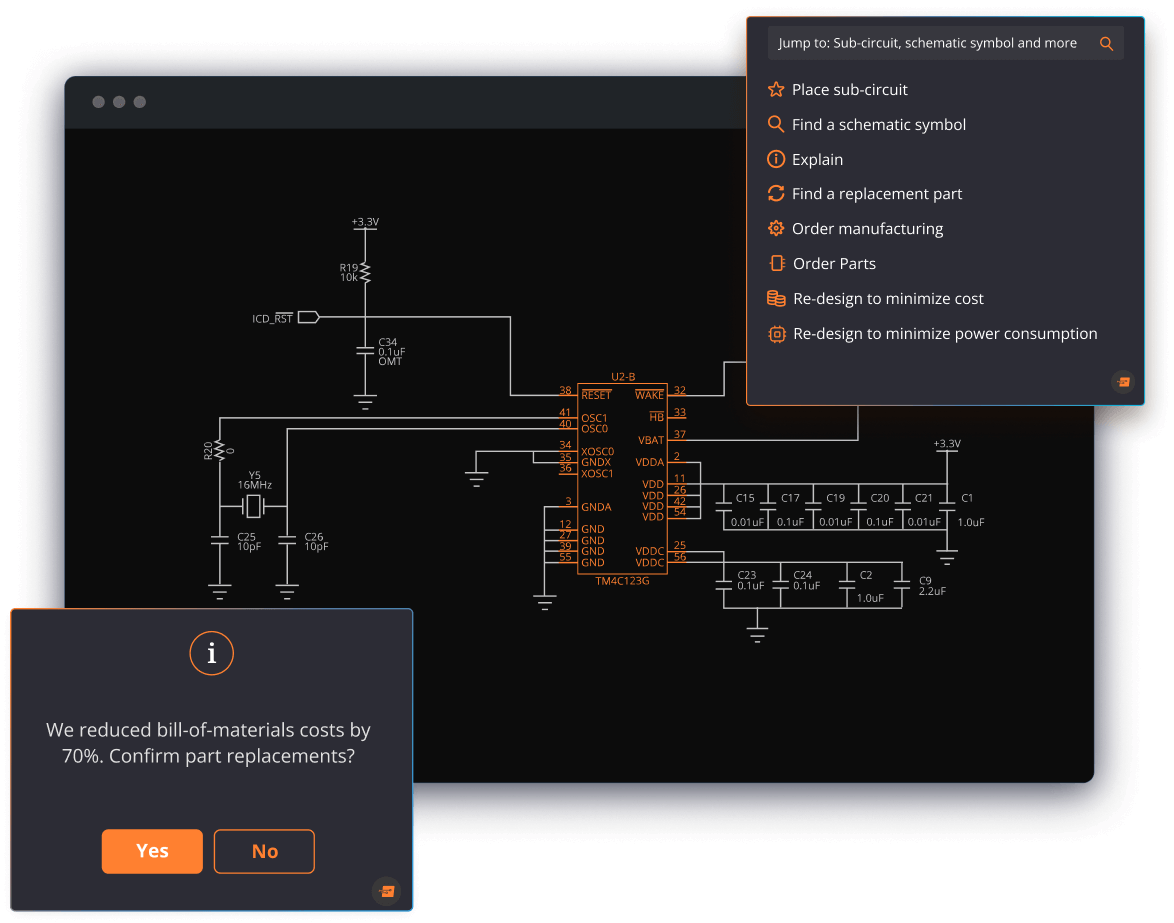
If you've ever grabbed a footprint at 11 PM the night before a layout deadline, there's a good chance it came from here. Formerly SnapEDA, SnapMagic's component search reaches over 2 million engineers a year. SnapMagic Copilot layers AI on top: when a part runs low on stock, it recommends alternates using the company's own component recommendation engine.
SnapMagic is a great tool to keep in your back pocket in your existing workflow. Because their symbols, footprints and 3D models come in 20+ CAD formats, they fit whichever EDA tool you already use.
4. Cadence Allegro X AI
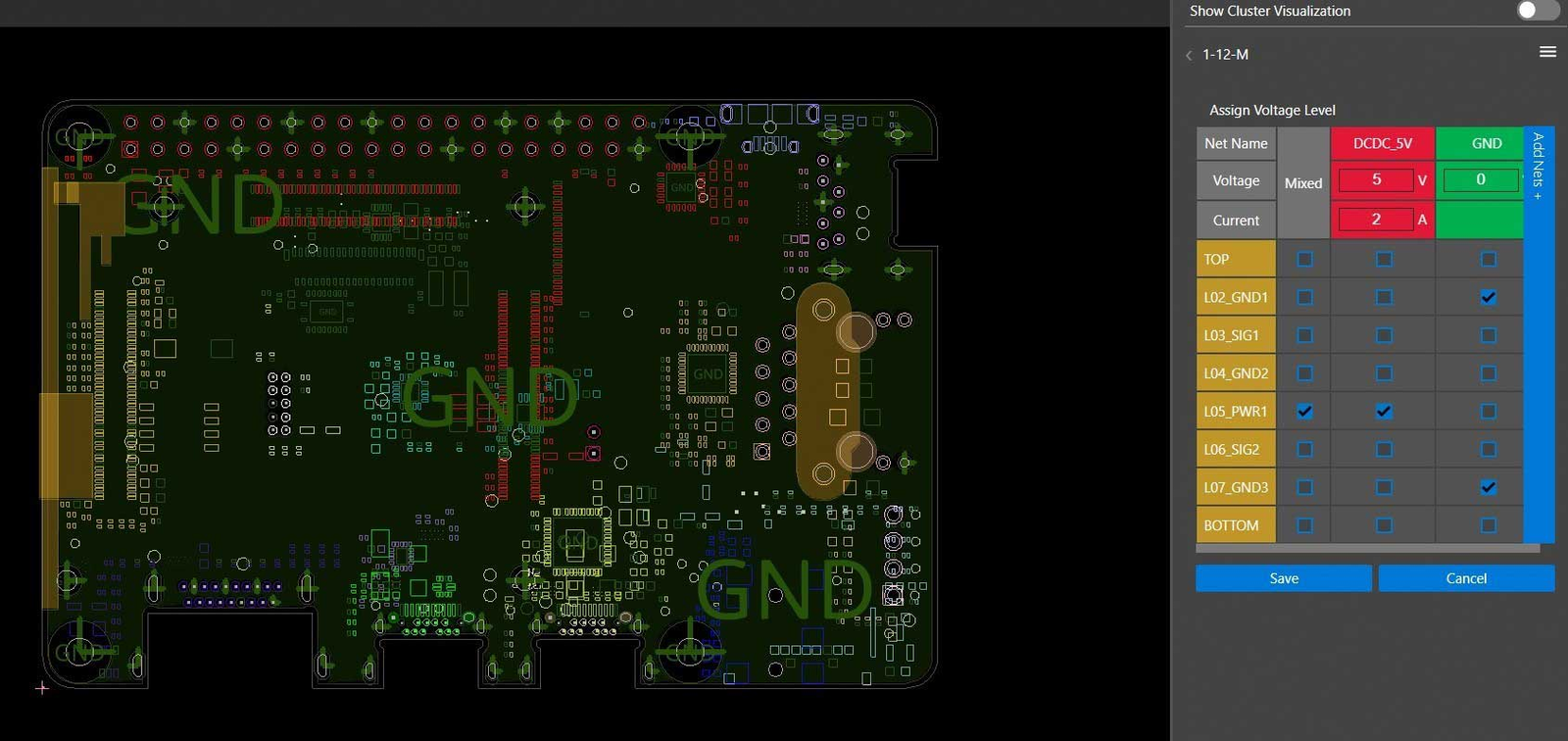
For enterprise teams already working in Allegro X, this is the native choice. Allegro X AI generates alternative placements, creates power and ground planes, and routes critical nets within your constraints, with SI and PI analysis through Sigrity X.
In July 2026, Cadence went further with the AuraStack AI Super Agent on Allegro AI Studio, which it calls the first agentic AI platform for PCB and advanced packaging design. Not necessarily built for hobbyists, but definitely a heavyweight for licensed teams.
5. Quilter
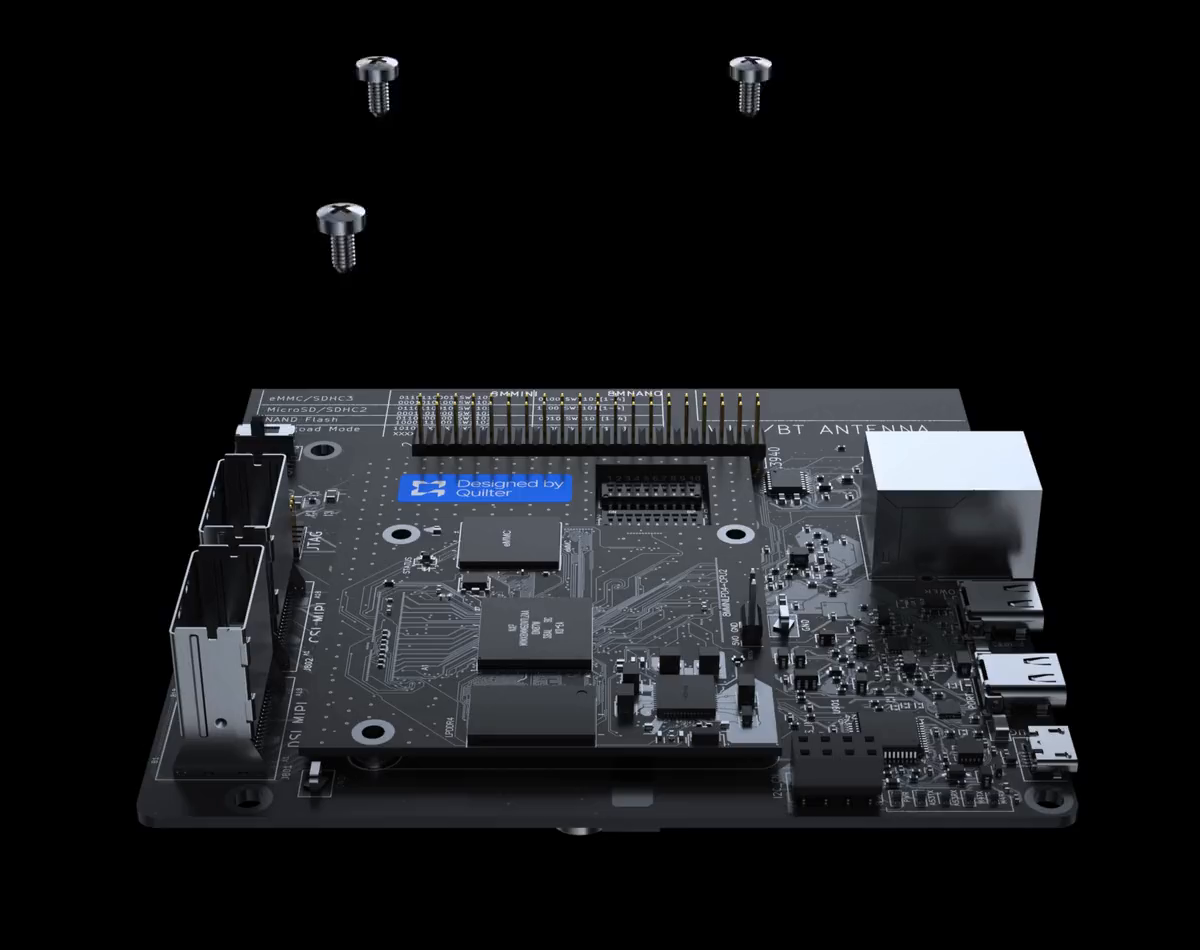
Quilter is a physics-driven layout engine. Hand it a schematic from Altium, Cadence, Xpedition or KiCad, along with your board outline, fixed parts, stackup, and rules, and it returns several layout candidates in your native format, plus a report of the physics and design-rule checks used for each one.
Some more advanced functions like length matching, RF routing, and blind or buried vias still need a human for now, but it's free for eligible academic, personal and small-team use, so definitely worth a test drive.
6. Circuit Mind
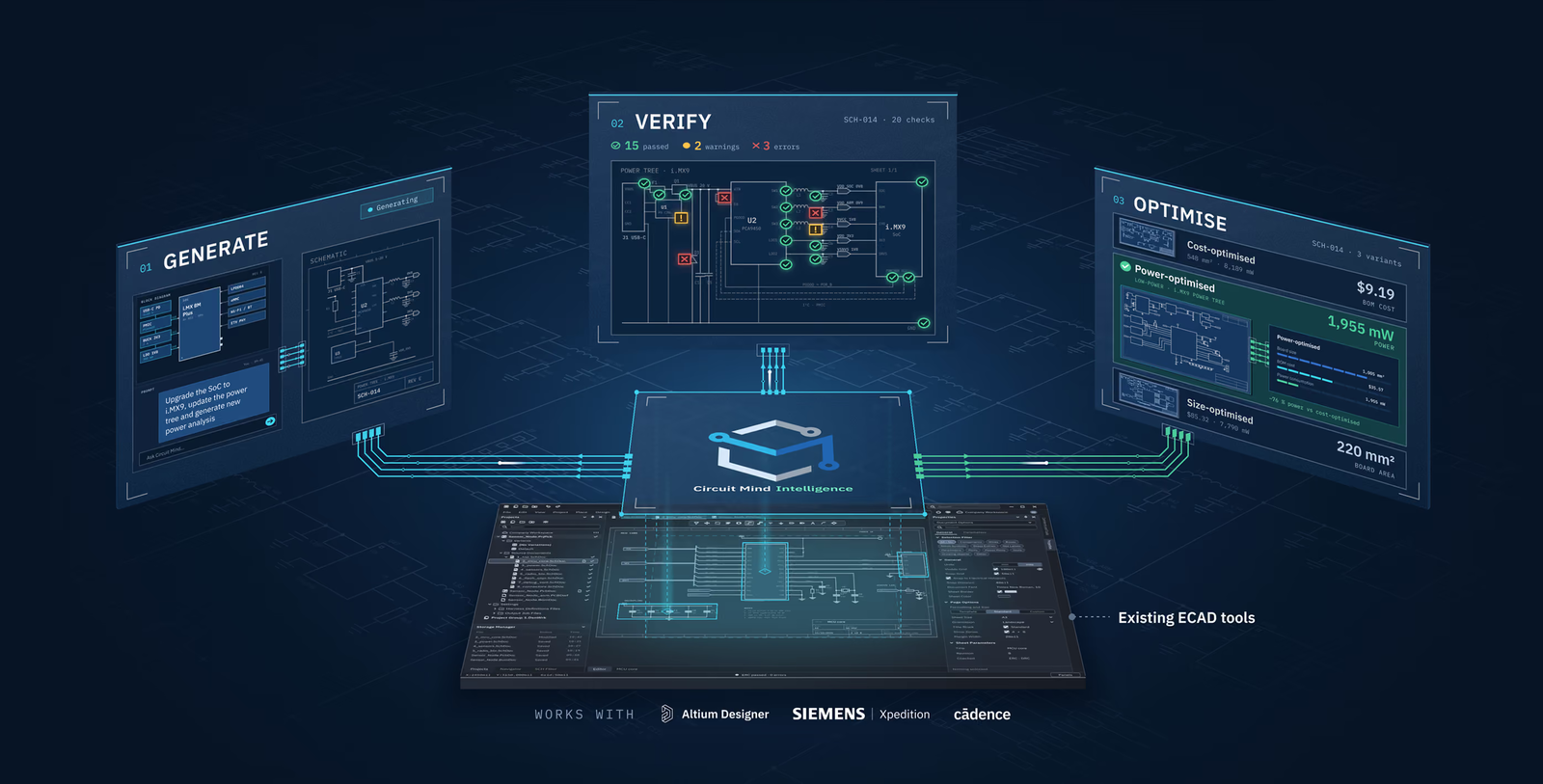
Circuit Mind starts from block-level architecture (functional blocks, signals, and constraints) and searches component combinations against your cost, size, power and availability targets. You drag in functional blocks like sensors and processors, define how they connect, and it generates candidate schematics and a BOM in minutes. What sets it apart is how it handles the paperwork: alongside the schematic and BOM, it generates power, FMEA and derating reports. Circuit Mind stops at the schematic level, but once you've picked a design, you can export to Altium, OrCAD or Xpedition for layout.
7. JITX
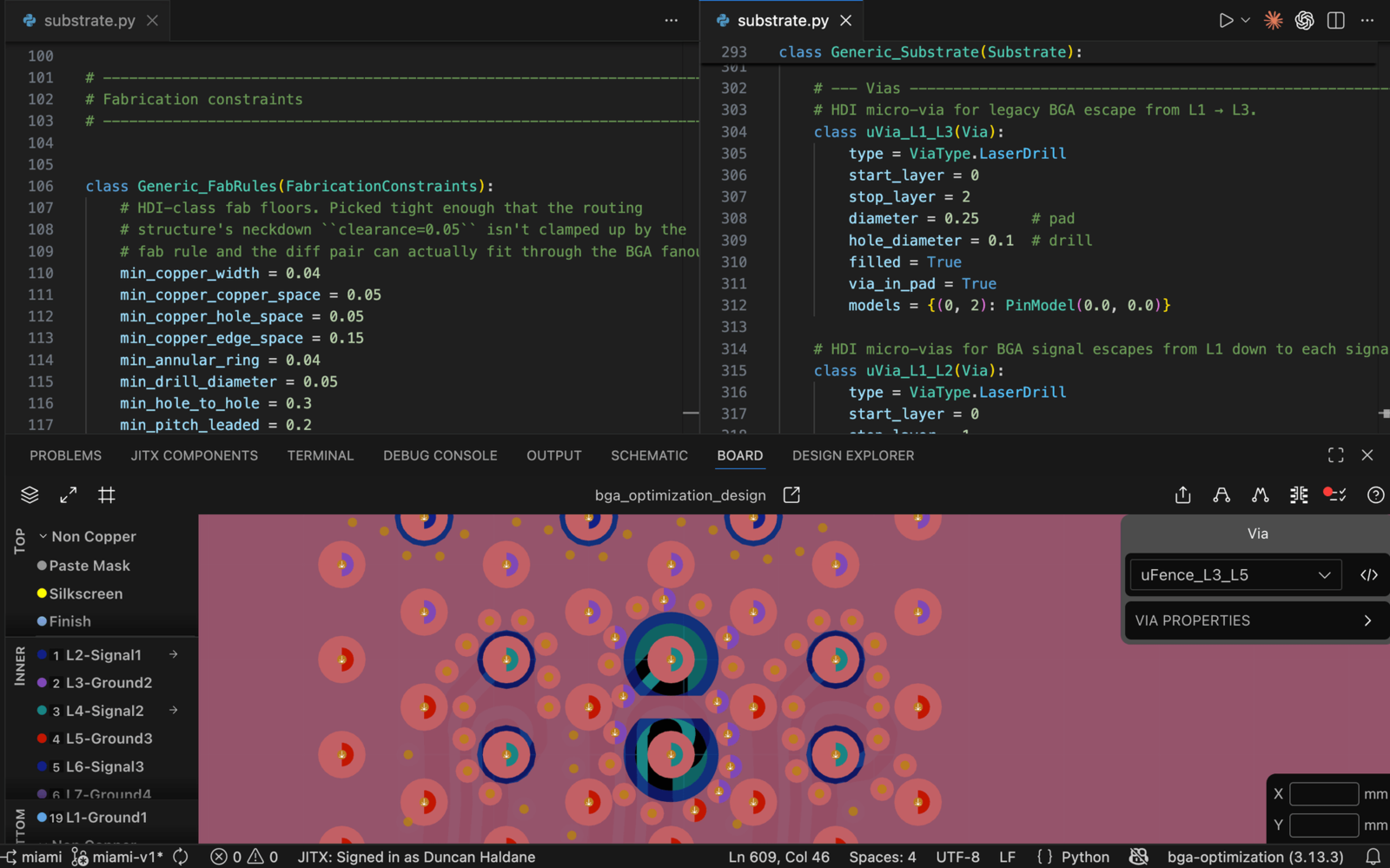
Who says hardware can't be written like software? (Not us. We've said the opposite.) JITX lets you easily define requirements, stackups, SI targets and manufacturing rules in Python. An AI model approved by your organization edits the design code, while JITX generates schematics and layouts, runs checks and kicks off HFSS simulations.
It integrates with KiCad, Altium, and Xpedition. A great fit for software-savvy teams on high-frequency or reusable designs. Plus, the free plan covers open-source projects, so the barrier to entry is low.
8. Altium 365
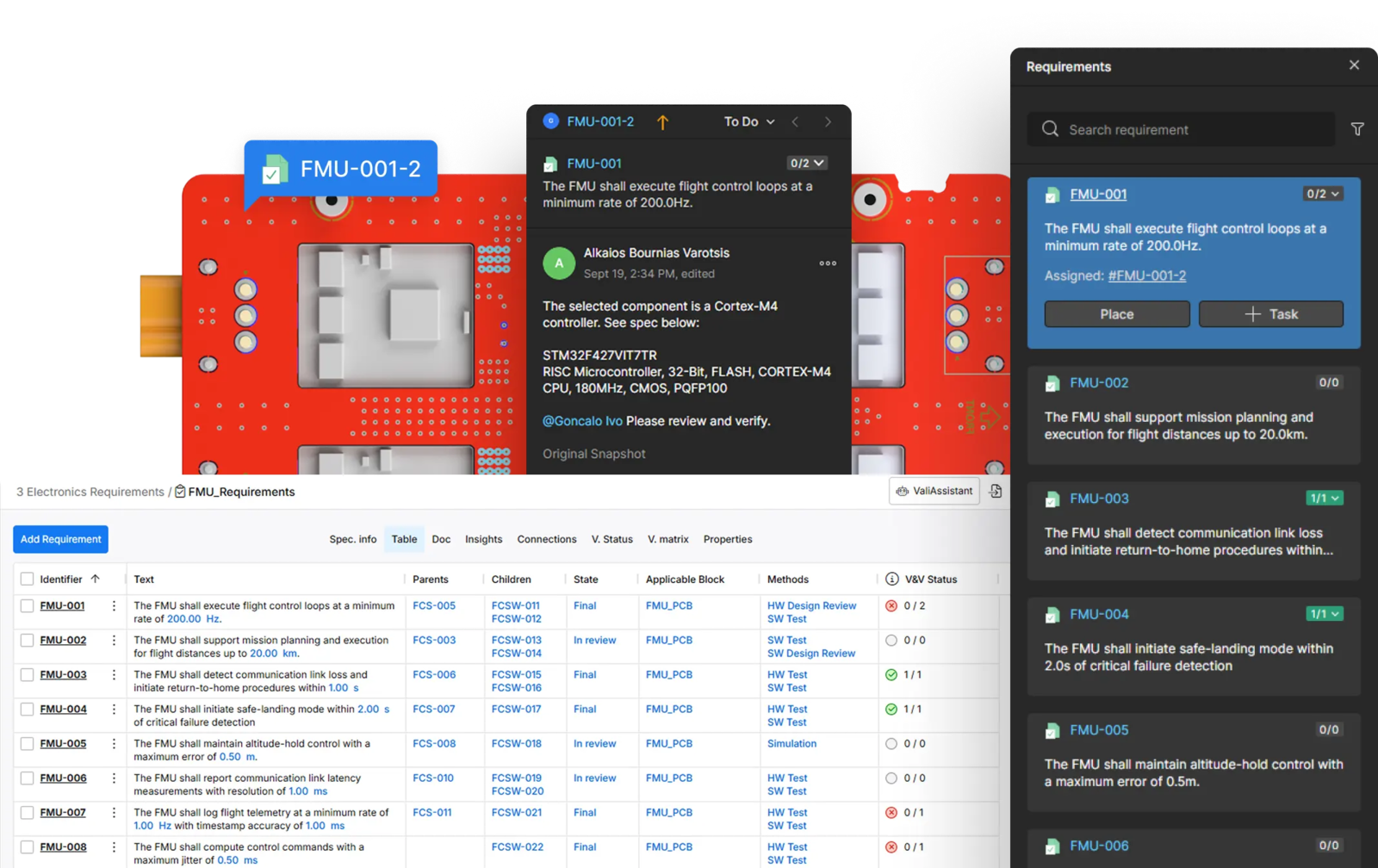
If your team already lives in Altium, this is the obvious, low-friction way to add AI to your workflow. Altium 365's Requirements Portal includes an Engineering Assistant that creates, edits and reviews requirements from plain-language requests, plus an AI importer that pulls requirements in from existing documents. Everything stays versioned and traceable next to your design data.
Worth knowing: Altium doesn't consider its placement and routing automation to be AI, so many teams instead pair it with other AI layout tools further down this list.
9. Flux
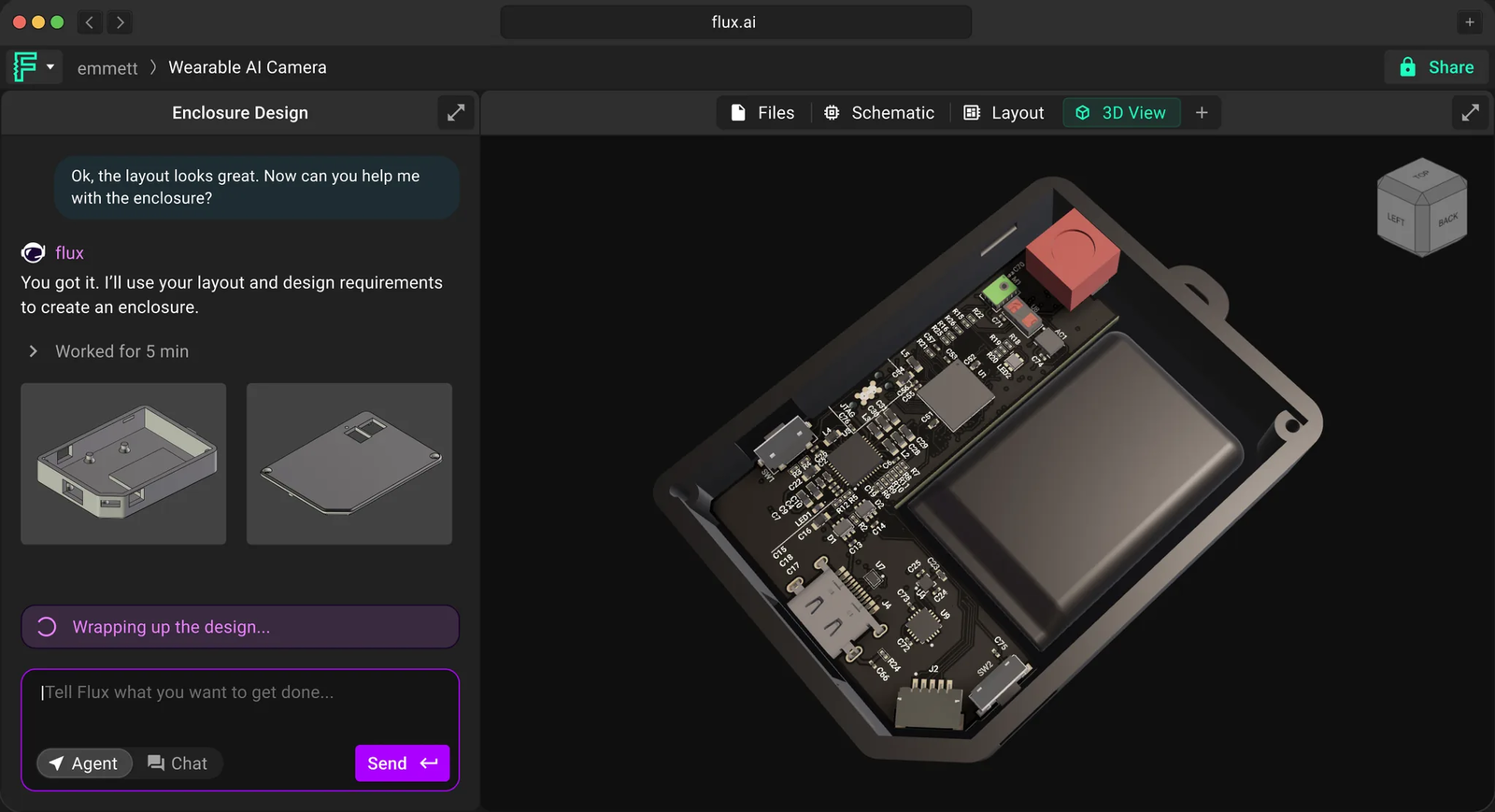
Flux is the tool most engineers probably envision when someone says "AI PCB design." Its browser-based agent can plan a board from a plain-language brief, find in-stock parts, wire the schematic, place and route, and run ERC/DRC as it goes. Because it all runs in the browser, there's nothing to install, and teammates can collaborate on the same project, much like a shared doc. When it's time for feedback, you can send a link instead of exporting files.
One drawback is that auto-layout works best for simple to medium-complexity boards, so you’ll likely still need to hand-route critical traces. Best for makers, startups and small teams who want to use a single tool from idea to manufacturing.
10. CELUS
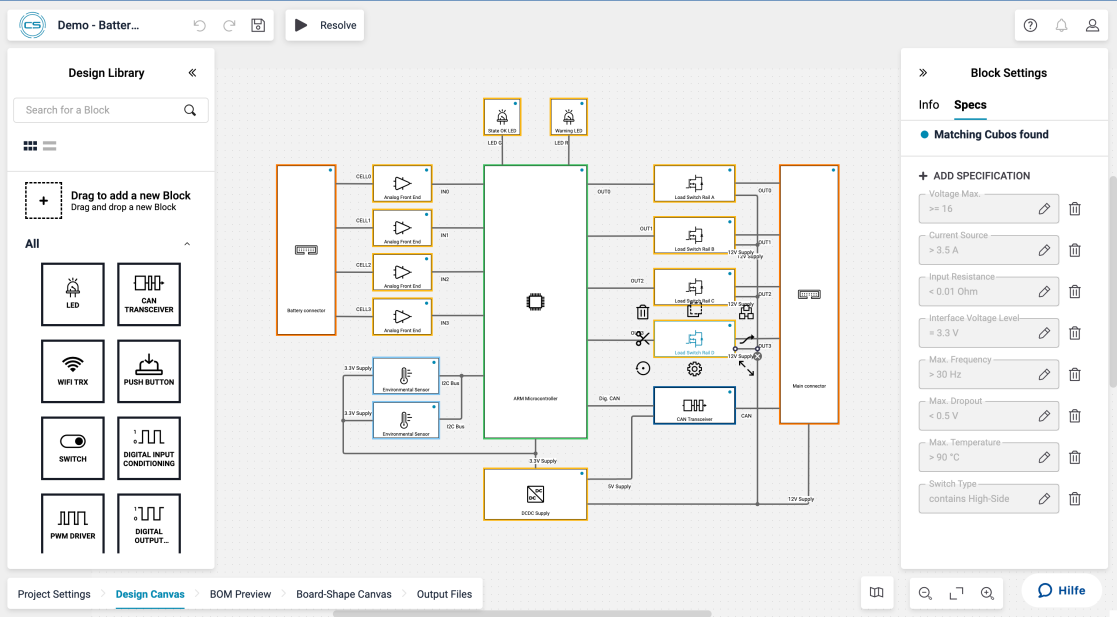
Starting from a spec sheet instead of a blank canvas? CELUS asks guided questions to capture your requirements, then matches components and reference designs to generate a schematic and a BOM with supply-chain data and alternates. The output opens in Altium, Cadence, Siemens, Fusion or KiCad. One note: it stops before layout, so you'll still need to finish the board in your usual EDA tool, but it's a great way to get a sourced BOM early.
11. DeepPCB
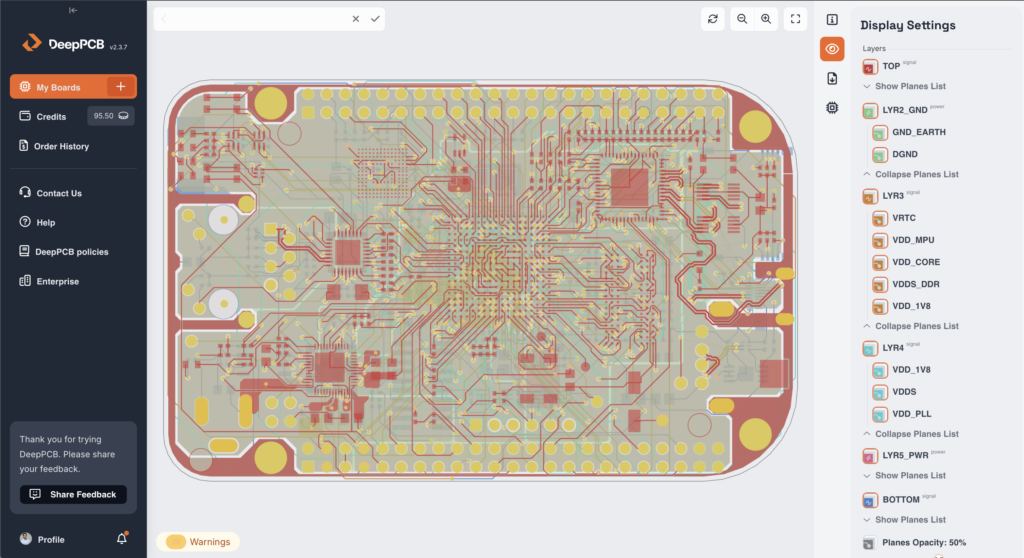
Built by InstaDeep, DeepPCB is a cloud routing engine trained with reinforcement learning. Its Cooper assistant checks your stackup, net classes, differential pairs, planes and clearances before the engine gets to work. We recommend the workflow DeepPCB itself suggests: route clocks, high-speed pairs and RF by hand, then let the AI finish the rest. Self-serve plans cover boards up to 8 layers.
12. ProtoFlow
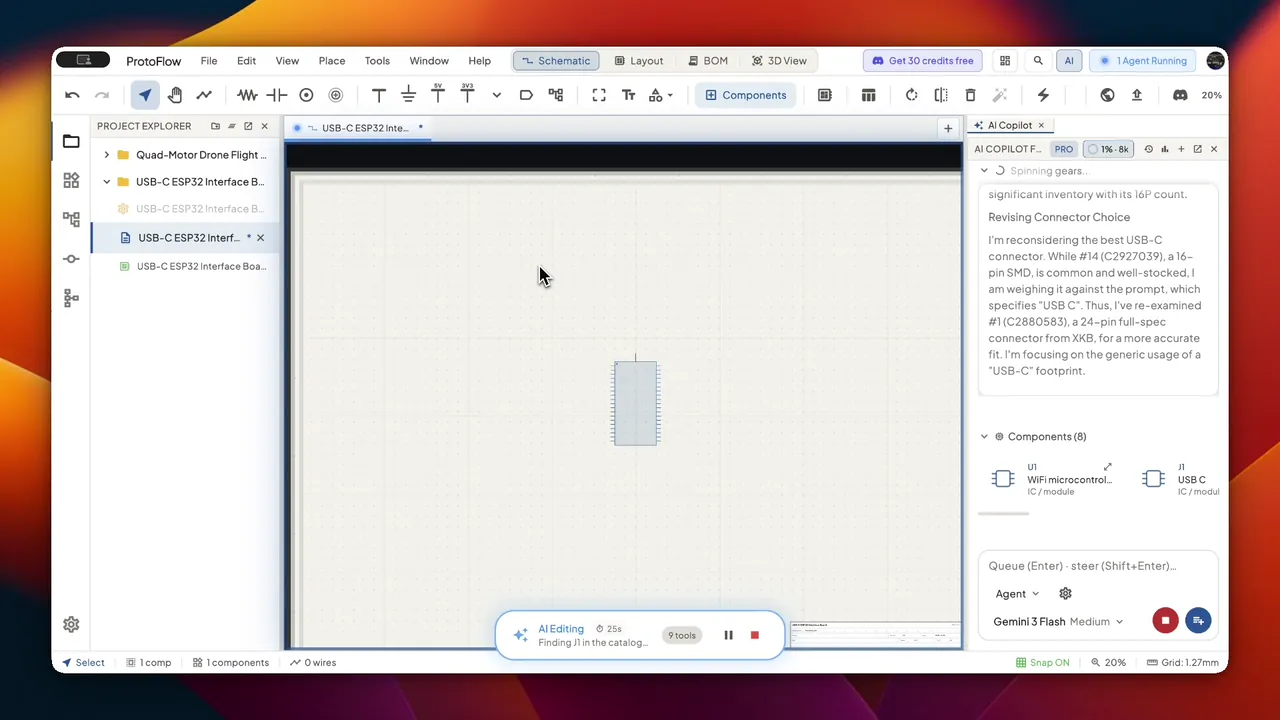
If you’re new to PCB design, or just want a first draft quickly, ProtoFlow might be worth a look. It’s a desktop app that turns a plain-language circuit description directly into a schematic, with real parts pulled directly from LCSC, DigiKey and Mouser, and ERC/DRC run on the result. When you're ready to move on to more substantial parts of the design, it exports to KiCad, Altium, EAGLE, PADS, or EDIF. The free plan comes with a daily AI message allowance.
What AI tools have earned a spot in your hardware workflow? Let us know at info@allspice.io.