How to run an AI design review for hardware with DRCY (inside the review itself)
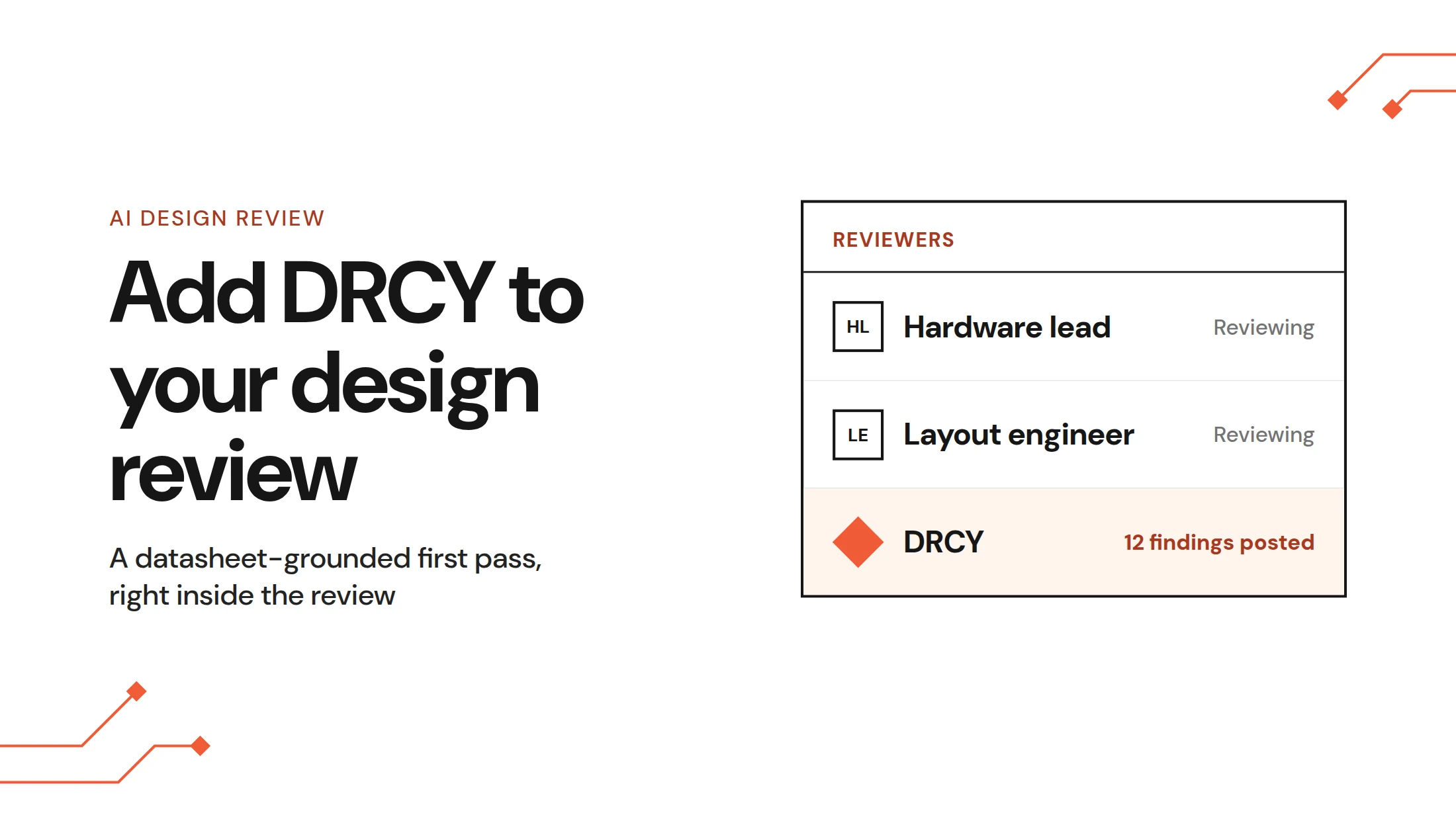
To run an AI design review for hardware in Allspice, open a Design Review and add DRCY as a reviewer. DRCY then runs a datasheet-grounded first pass on the schematic and posts each finding into the review with its evidence. Engineers can filter the findings, escalate real problems to tracked Issues, question DRCY in a chat interface and teach it team design standards.
Key takeaways
- Adding DRCY as a reviewer on an Allspice Design Review starts an AI first pass on the schematic automatically.
- Every DRCY finding states the observation, datasheet requirement, consequence, evidence and a suggested fix, traceable to the datasheet page.
- Findings can be escalated to Allspice Issues by opening a DRCY Chat window and requesting that an issue be created.
- A DRCY.md file in the repository teaches DRCY your team's design standards, and DRCY Chat follows it in every session.
Why the first pass belongs inside the design review
Most hardware teams already run rigorous design reviews. The trouble is where the review lives: screenshots, PDFs, spreadsheets and email chains, with the checklist walked by hand. As one engineering lead told us, "Despite holding the design reviews, often with six senior engineers, somehow we seem to miss critical schematic errors."
Respins are part of the job. In PCEA's 2025 salary survey, the Printed Circuit Engineering Association reported that nearly 60% of responding PCB designers produce 1–5 unplanned respins a year. Each one means another fab and assembly run plus another round of bring-up.
Engineers who have watched review tools come and go ask a fair question about AI design review for hardware: has the work been reduced, or only rearranged? DRCY reduces it in two places.
The first is the handoff. There's no separate tool. No export and no report to chase down, because findings land in the AllSpice Design Review where the team already works to review changes from revision to revision.
The second is the repeatable datasheet work: reading forty datasheets and checking every capacitor against its rail. DRCY takes that first pass, and the engineer still decides what's real and what ships.
Engineering leaders want AI on exactly this kind of work, within limits. IoT Analytics' 2026 survey of decision-makers at 120 manufacturers found that 86% see AI's primary benefit as reducing effort in repetitive engineering tasks. The same IoT Analytics survey found that full reliance on AI did not exceed 3% for any activity.
That gap between wanting help and trusting output shaped DRCY AI design reviews. DRCY does the repeatable checks and shows its evidence, and the decision stays with the engineer.
Watch the video or continue reading below.
Step-by-step: running an AI-assisted design review in Allspice
An AI design review for hardware in Allspice takes four steps, all in the browser. Each one happens inside Allspice, so the context from one step carries into the next.
1. Get the project into Allspice
Allspice Hub is browser-based. Drag and drop your project files, or commit and push with Git as you would with any repository.
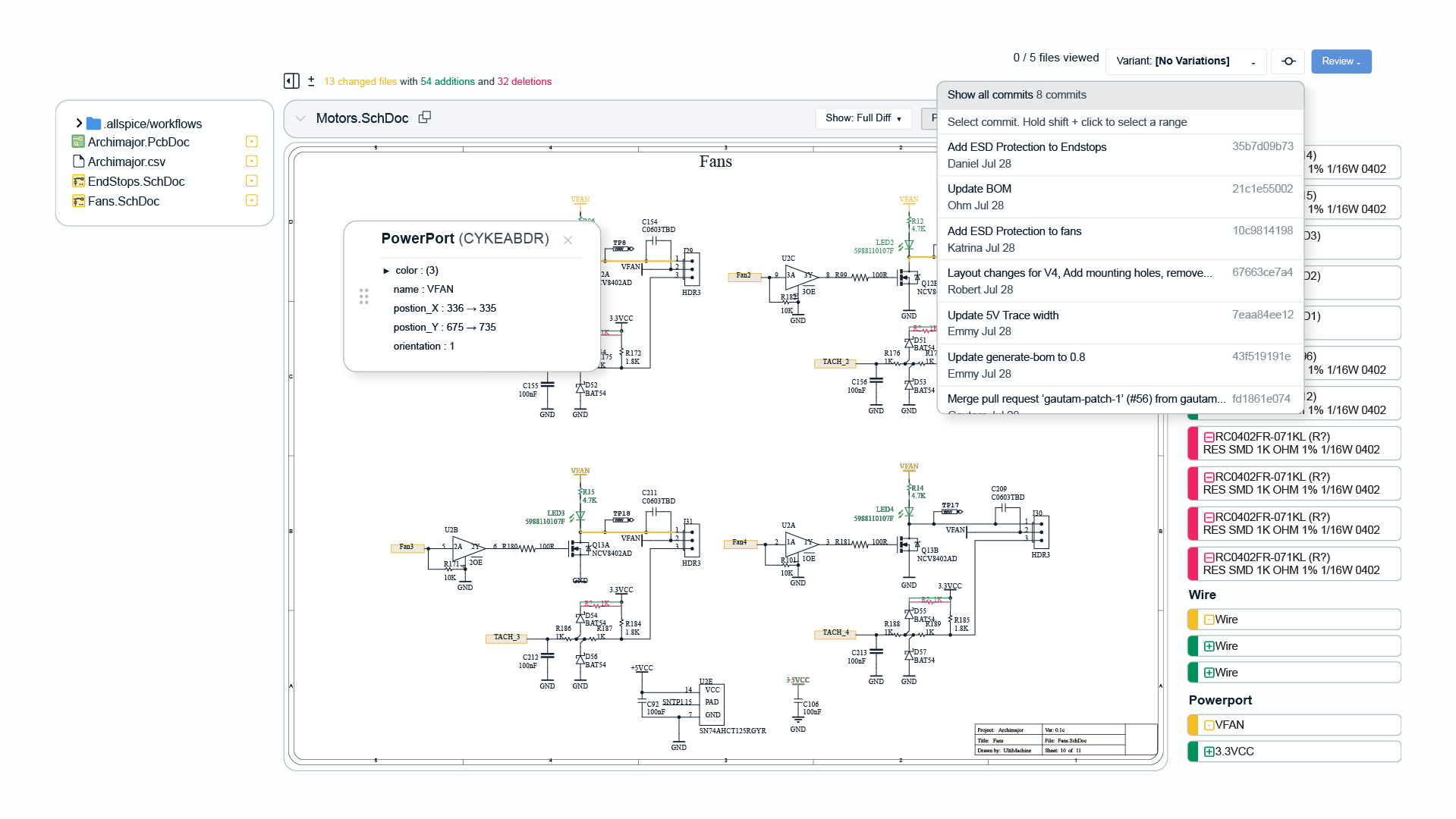
Allspice reads native files from the ECAD tools your team already uses, including Altium, Mentor Graphics, Cadence and KiCad. It parses the schematic and PCB files so reviewers can compare changes with visual diffs. DRCY works from the same parsed design data, and the post on how DRCY reviews schematics explains how it reads those files alongside the datasheets.
2. Open the design review and add DRCY as a reviewer
Every Design Review starts on the Conversations page. The author states the intent of the change and picks reviewers, and all feedback collects in one place with shared context.
Add DRCY to the reviewer list and the AI review kicks off automatically. Customers value that DRCY sees the changes across revisions of their designs, reducing the need for a full-pass design review of each schematic page every time.The guide to running a DRCY review covers setup and reruns.
3. Check the datasheets DRCY used
A datasheet-grounded review is only as good as its datasheets. DRCY retrieves datasheets automatically from online sources and links each one to its component. It also uses datasheets you've uploaded or kept in a datasheets folder in the repository.
When a datasheet is missing, DRCY flags it. Upload or replace the file, then rerun the review without leaving the Design Review. The post on getting the right datasheets explains why DRCY might pull the wrong one and how to fix it.
4. Work the findings table
Findings arrive in an interactive summary table inside the review. You can search it, filter by severity (errors first is a sensible start), post selected findings to the conversation or export them all. DRCY checks a variety of schematic issues. A few examples below come from anonymised customer designs.
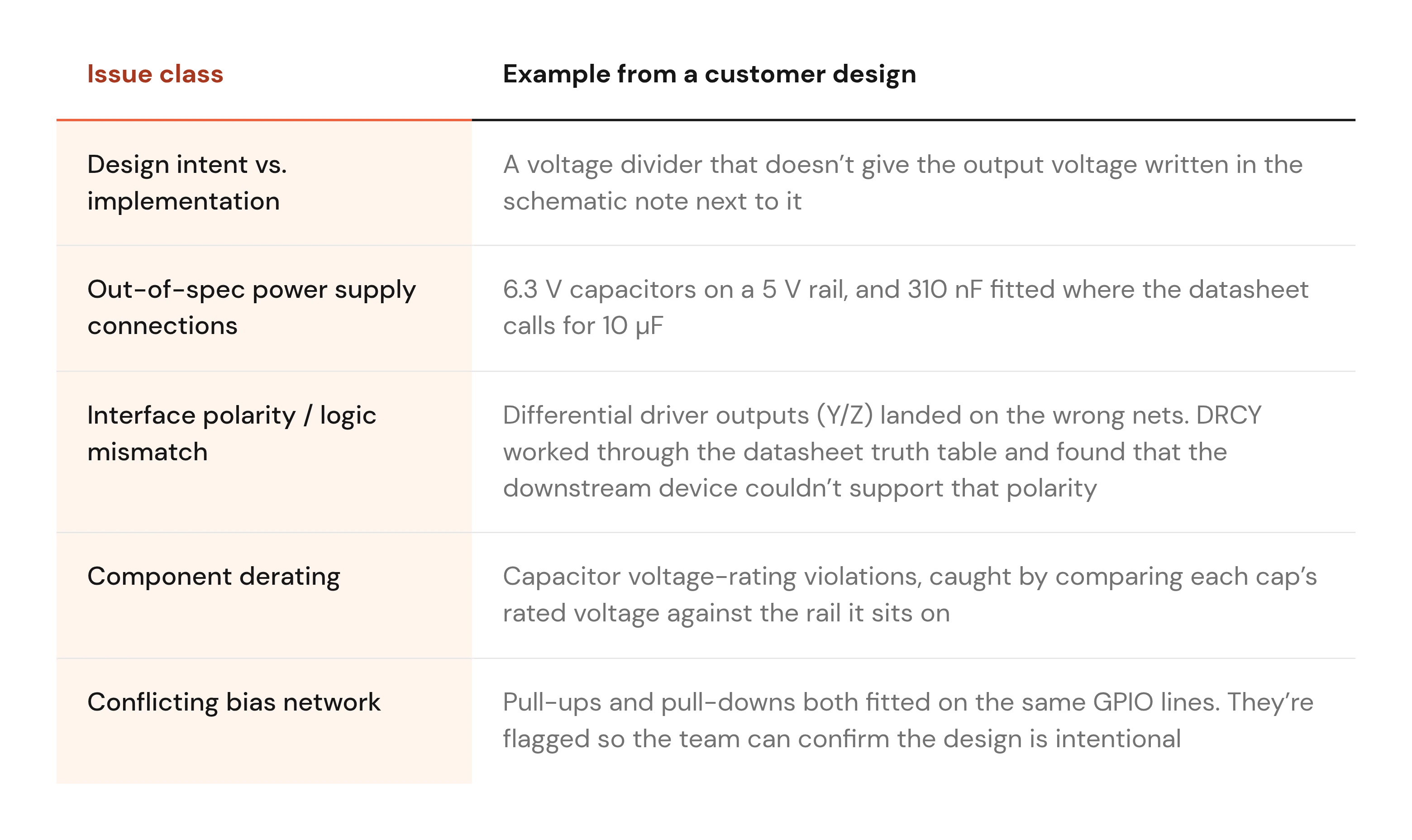
Anatomy of a DRCY finding: the U11A example
Here's one finding from a demo design, tagged Error. On U11A, a microcontroller, the net DATA_IN is wired to the MCU's data output pin. The comment follows the structure every DRCY finding uses:
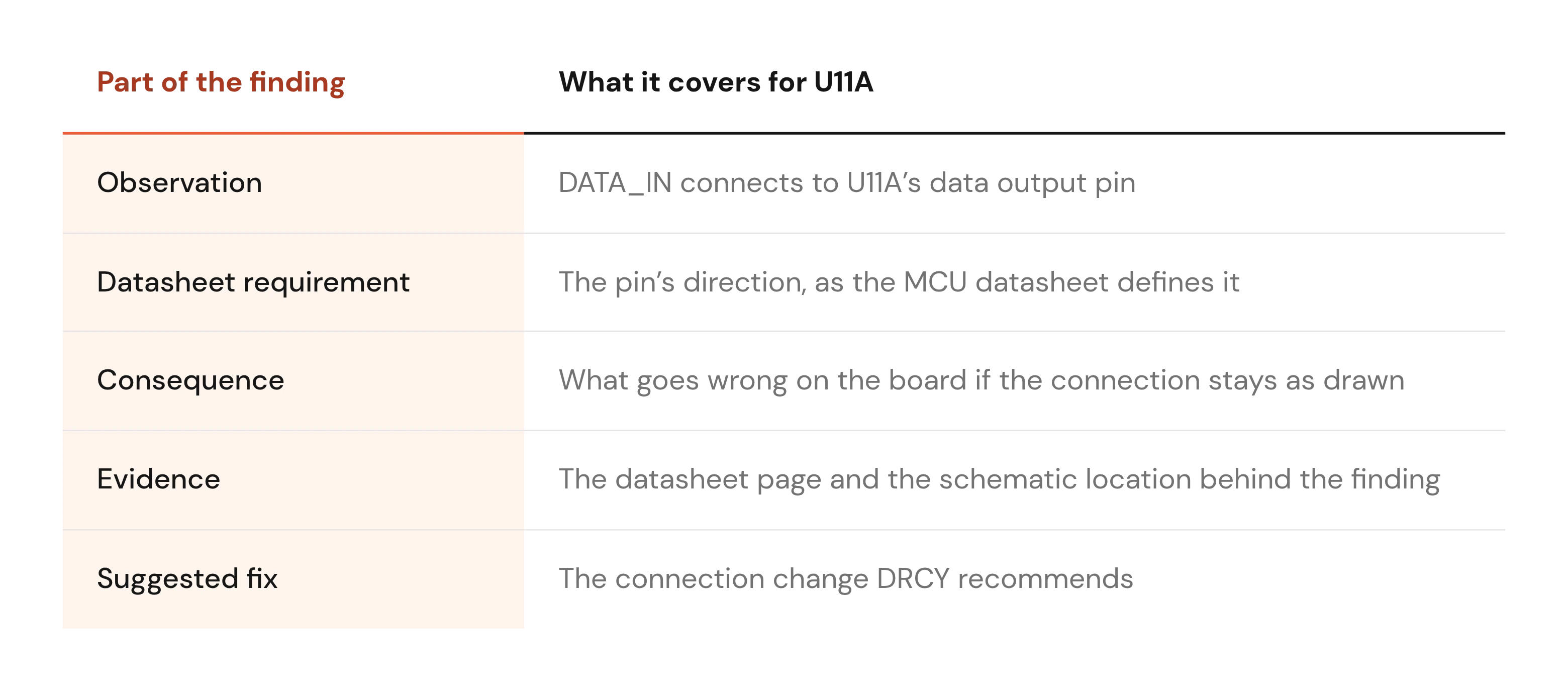
Click the snippet and you jump to U11A in the Design Review. The view shows recent changes to the component and the evidence across the design, so you can judge the finding in context.
That traceability is the point. The National Institute of Standards and Technology, in NIST's Generative AI Profile, names "automation bias": humans "may over-rely on GAI systems." A finding that cites its datasheet page lets the engineer check the reasoning instead of taking it on trust.
From finding to fix: Issues and DRCY Chat
Every finding is now the start of a conversation. Once you've read it, you have two next moves, and both stay in the review.
Escalate to an Allspice Issue
If the finding is a real problem, escalate it to an Allspice Issue. The Issue is tracked in the repository's issue tracker, next to the design it belongs to.
Ask DRCY why
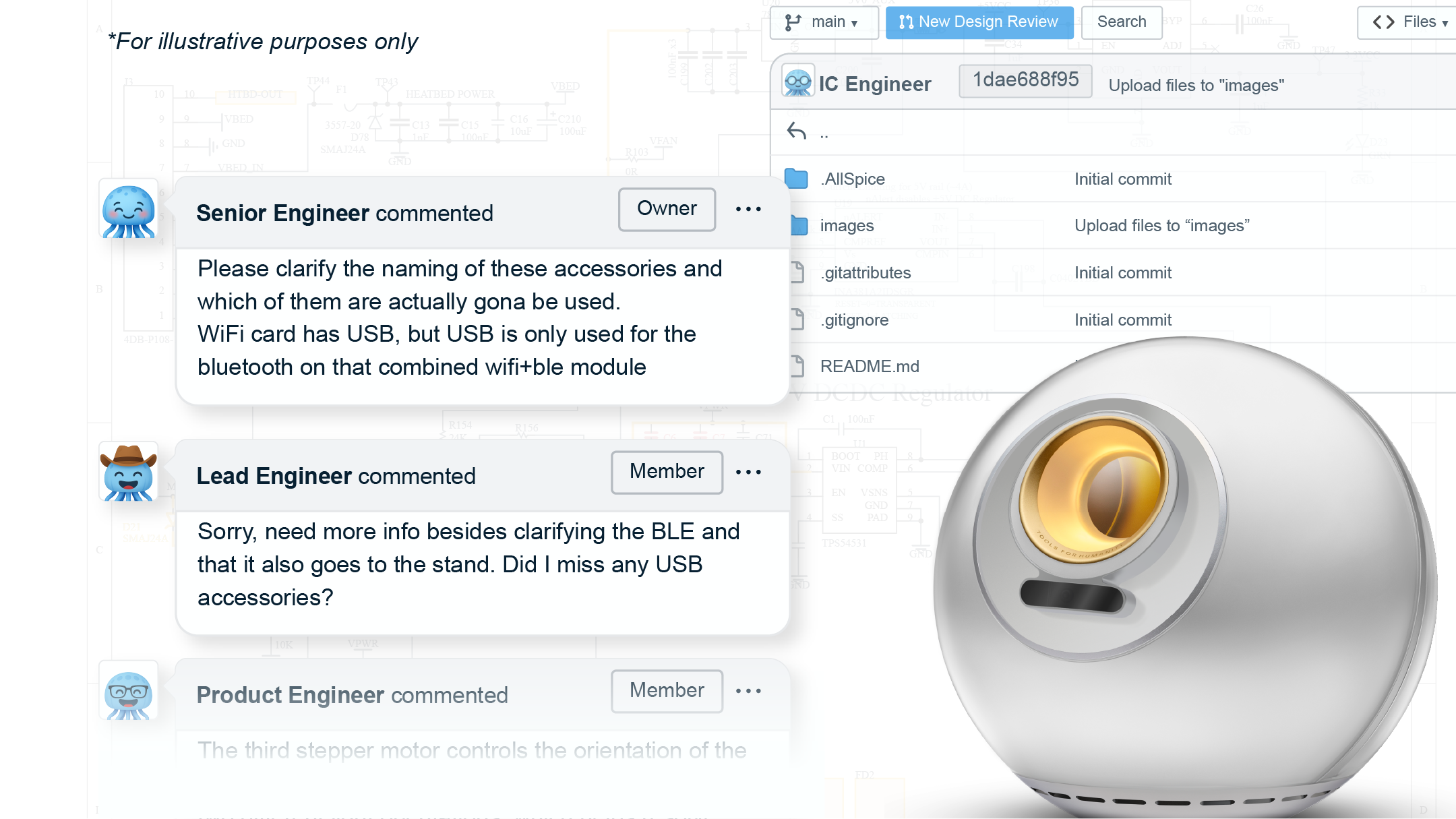
DRCY Chat opens from any comment, whether DRCY or a teammate wrote it, and from any Issue. The finding's context carries over. Go straight to follow-ups like "Why'd you flag this?" or "What other parts on this net could be affected?"
You can also upload specs, application notes, or design standards as PDF or Word files. Customers tell us context is the single biggest quality lever: upload the spec, state the rails and the intent, then rerun. The DRCY Chat documentation covers uploads and setup.
Teach DRCY how your team works with DRCY.md
Every team has standards that live in senior engineers' heads, and tribal knowledge is the hardest thing to review against. Add a DRCY.md file to the repository with your design standards and conventions, including how you want findings formatted. DRCY Chat follows it in every session.
A DRCY.md file is plain Markdown. Here's an illustrative example; the rules are placeholders for your own:
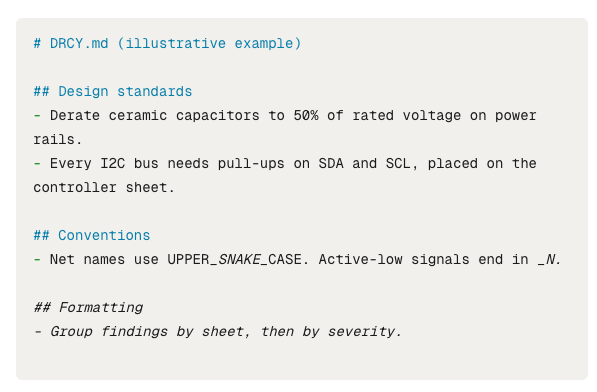
Corrections work the same way. Mark a finding wrong and say why, and the correction persists into later reviews. With DRCY Chat and DRCY.md working together, your team can question, guide, and teach DRCY right inside the review.
What DRCY does not do
DRCY reviews schematics. It does not review layout, so there are no checks on trace widths, clearances, impedance, thermal relief or DFM yet.
Some findings will be wrong, and more of them on unfinished designs where the intent isn't on the page yet. We don't publish an accuracy figure. Run DRCY on a schematic desig you know well and count the real findings yourself.
A wrong finding can still pay off. One customer described a finding with flawed reasoning that still sent an engineer back to the circuit. Studying it, they found a real mistake: "that's still a win."
DRCY is also no sign-off authority. Think of it as the thorough junior who reads all forty datasheets, while a senior engineer approves the design. For the fuller picture, read what AI review can't catch.
Closing: reviews that start from a shorter list
So does AI design review for hardware reduce the work or rearrange it? With DRCY inside the Design Review, it takes the checks you shouldn't have to repeat. Senior reviewers start from a shorter list and spend the meeting on architecture and design decisions.
Sign-off still rests with people, and now it rests on traceable evidence: every finding points to a datasheet page someone can open. As a team adds DRCY.md rules and corrections, that first pass gets more specific to its own boards.
FAQs
Does AI design review reduce work or just rearrange it?
It reduces work when the AI runs inside the design review. DRCY posts findings straight into the Allspice Design Review with no export or separate report, and it takes the repeatable datasheet checks. Engineers still decide which findings are real.
Does DRCY review PCB layout?
No. DRCY reviews schematics today, with no checks on trace widths, clearances, impedance, thermal relief or DFM, and footprint validation has not shipped. Your team still reviews layout changes with visual diffs in the same Design Review.
Will AI replace hardware design reviewers?
No. DRCY is a first pass, the thorough junior who reads every datasheet, and a senior engineer still signs off. Every DRCY finding cites its datasheet evidence so reviewers can check it before they approve anything.