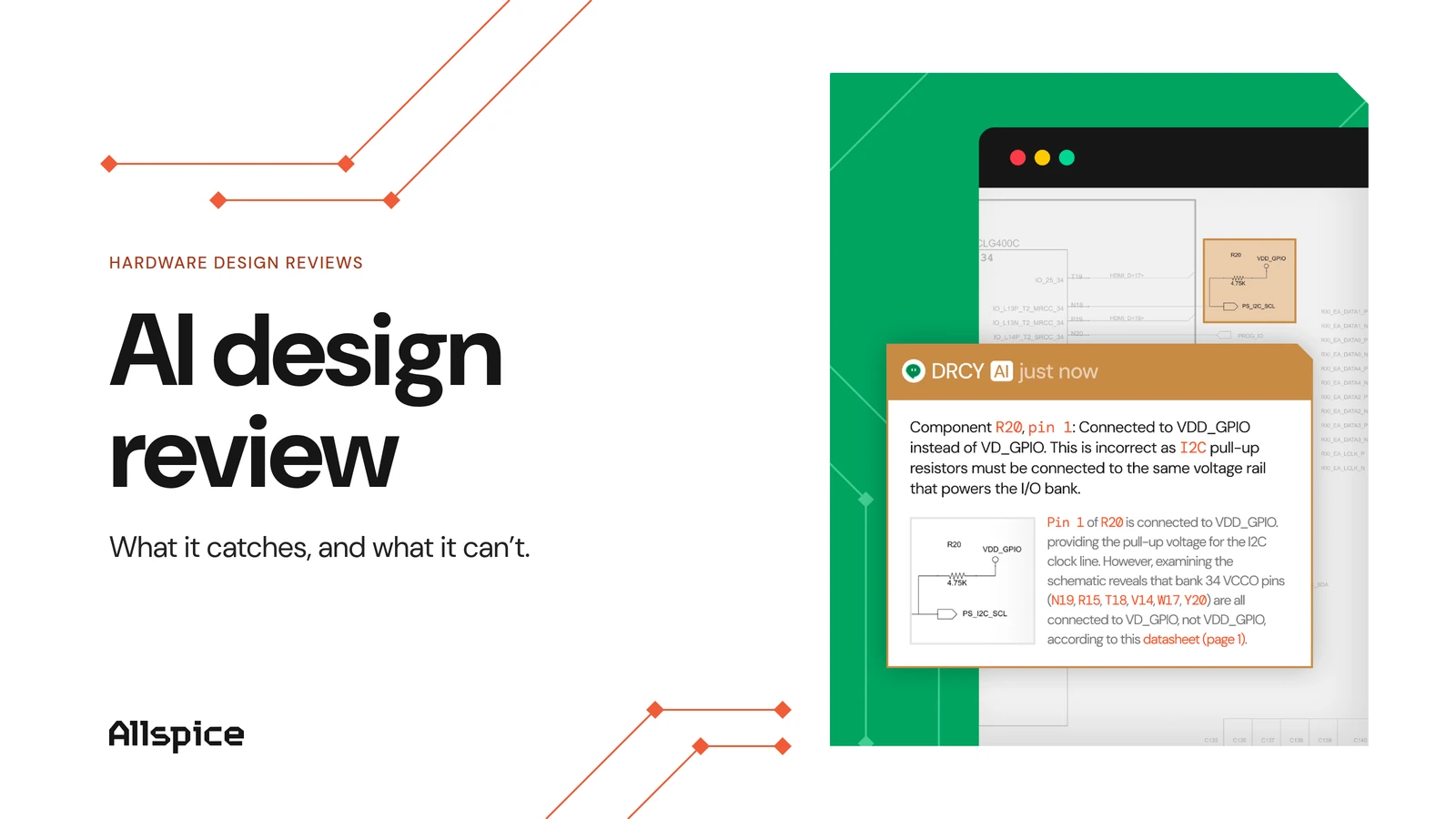
View Altium circuits in your browser with GitHub

GitHub and Gitlab are becoming popular revision control tools, but did you know you can use them to render your circuit designs in the browser? This can be extremely helpful for quickly browsing through revisions or sharing your designs with people who might not have otherwise necessary software installed.
AllSpice.io team
| Co-Founder & CEO
| Co-Founder & CTO

,

| Co-Founder & CTO
| Co-Founder & CEO
January 5, 2026

In this article, we will:

AllSpice render tool

The first step in this process step is to download and install AllSpice Diff and render tool. We’ll use this to generate a vector image for each schematic file that GitHub can render.

After installing, you should see the following:
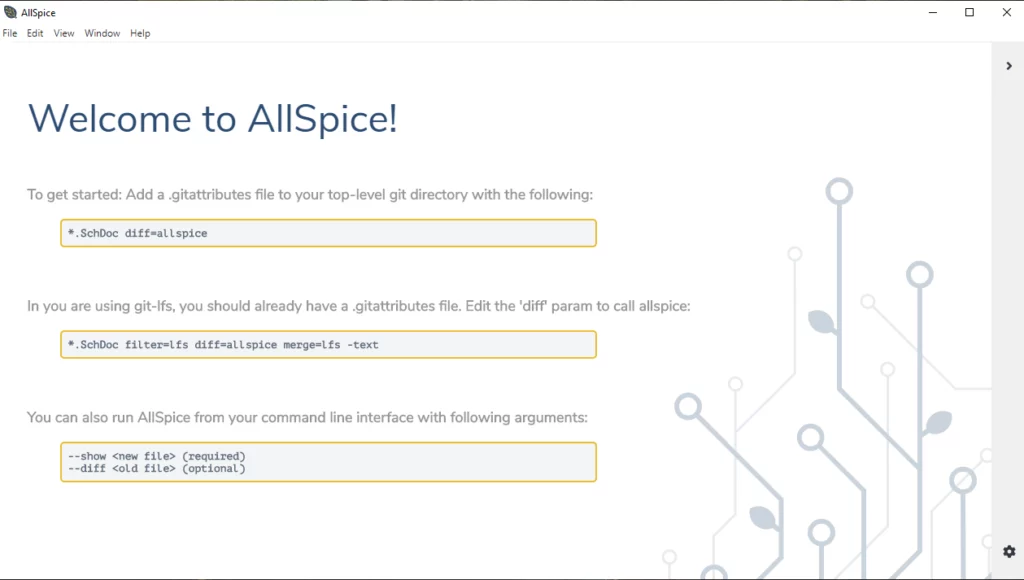
Welcome to AllSpice intro screen, post installation.

We’re not going to use the GUI for this, so you can exit the application.

Setting up a pre-commit Git hook

The next step is setting up a pre-commit Git hook that will call AllSpice to render CLI, generate svgs, and add them to the project repo each time you commit changes to your Altium project.

By default, Git will look for hooks in your `.git/hooks/` directory, which is not committed to the repo. However, I recommend creating a new location for this hook and adding it to the repository so that you can ensure everyone who commits to the project in the future will create an up-to-date rendering for your schematics.

Create a folder in your base repo called `.githooks` and add it to Git with:

git config core.hooksPath .githooks

Note: this configures the Git hook for your local repository. You will need to run this command for each Git repo you want to enable the hook in. Best practice is to add this command to a README file.

Now we can add the pre-commit hook. The file needs to be named `pre-commit`.

The full pre-commit hook and example directory can be found here.

You can download the raw file above, place it into the directory we created, and add it to the Git repo. For example, using:

git add .githooks/pre-commit

However, if you’re interested in understanding what’s going on behind the scenes, I’ll explain how it works below.

Finally, commit the Git hook file to your repository with:

git commit -m “Add git hook to render schematics”

And you should see an svg rendered and added for each schematic in your repository.
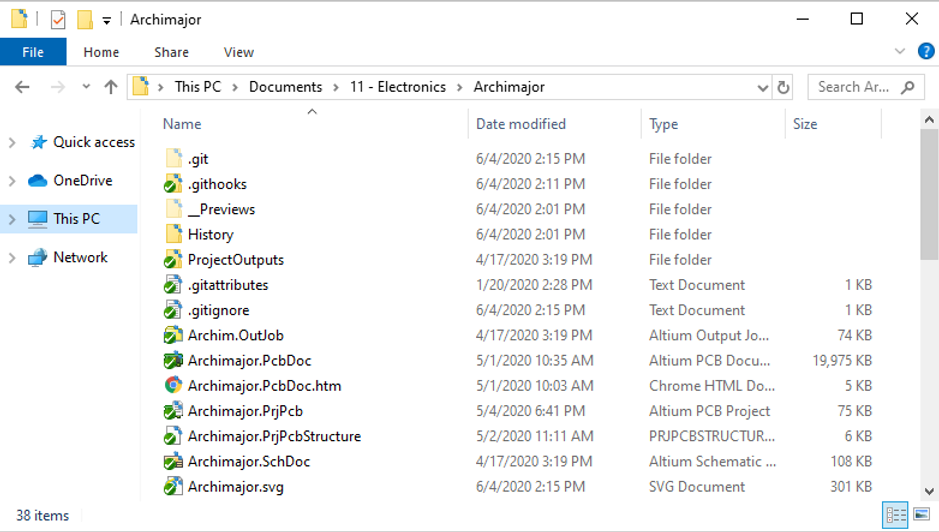
Root repository after .githook folder is created and added to Git index.

The result

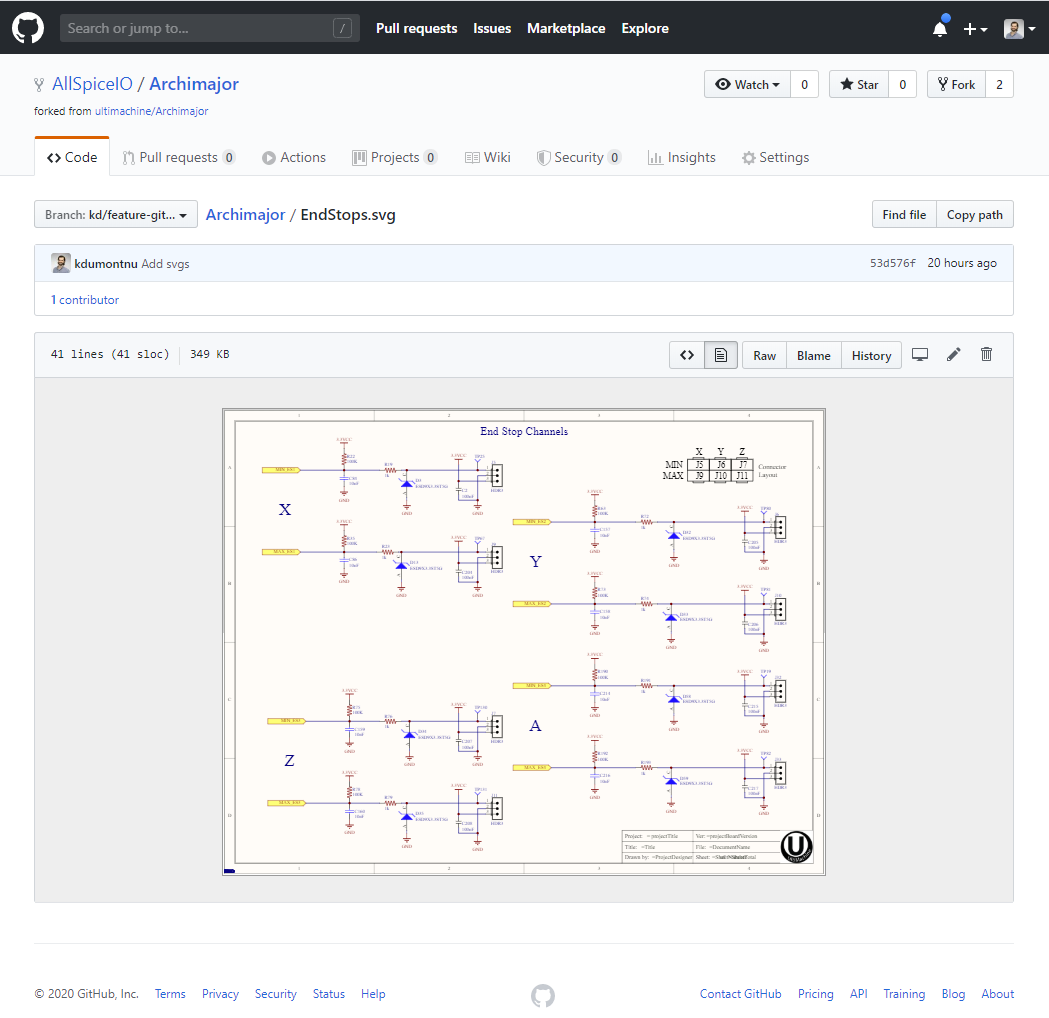
After pushing the file to your remote you’ll find a viewable rendering for your product CAD data.
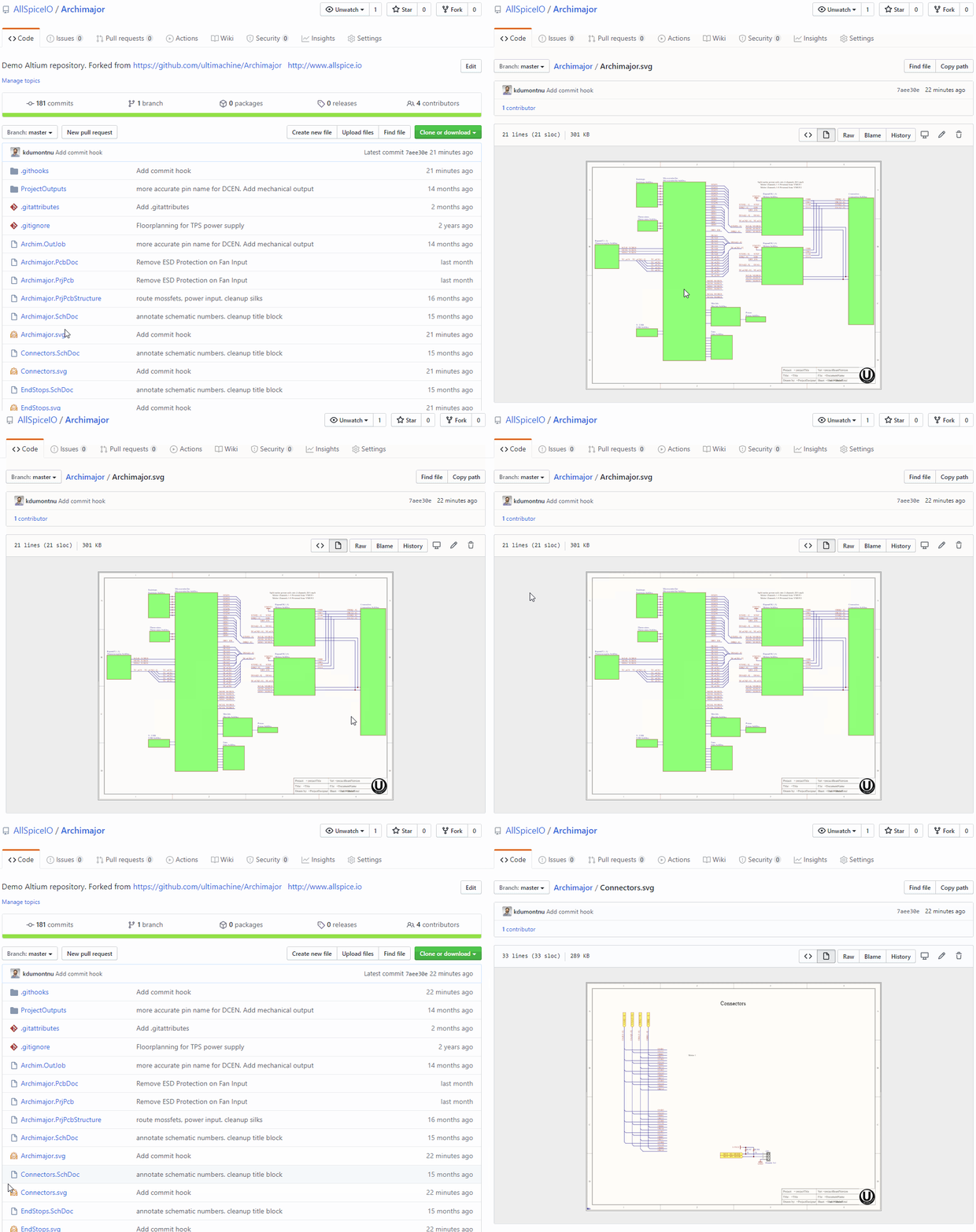
Demo Altium repository.

View the demo

💡 This pairs very well with File Icon for GitHub and GitLab Chrome extension.

What’s next?

Next, we’ll utilize the design renderings to recommend best-practices for conducting a design review or pull request in GitHub.
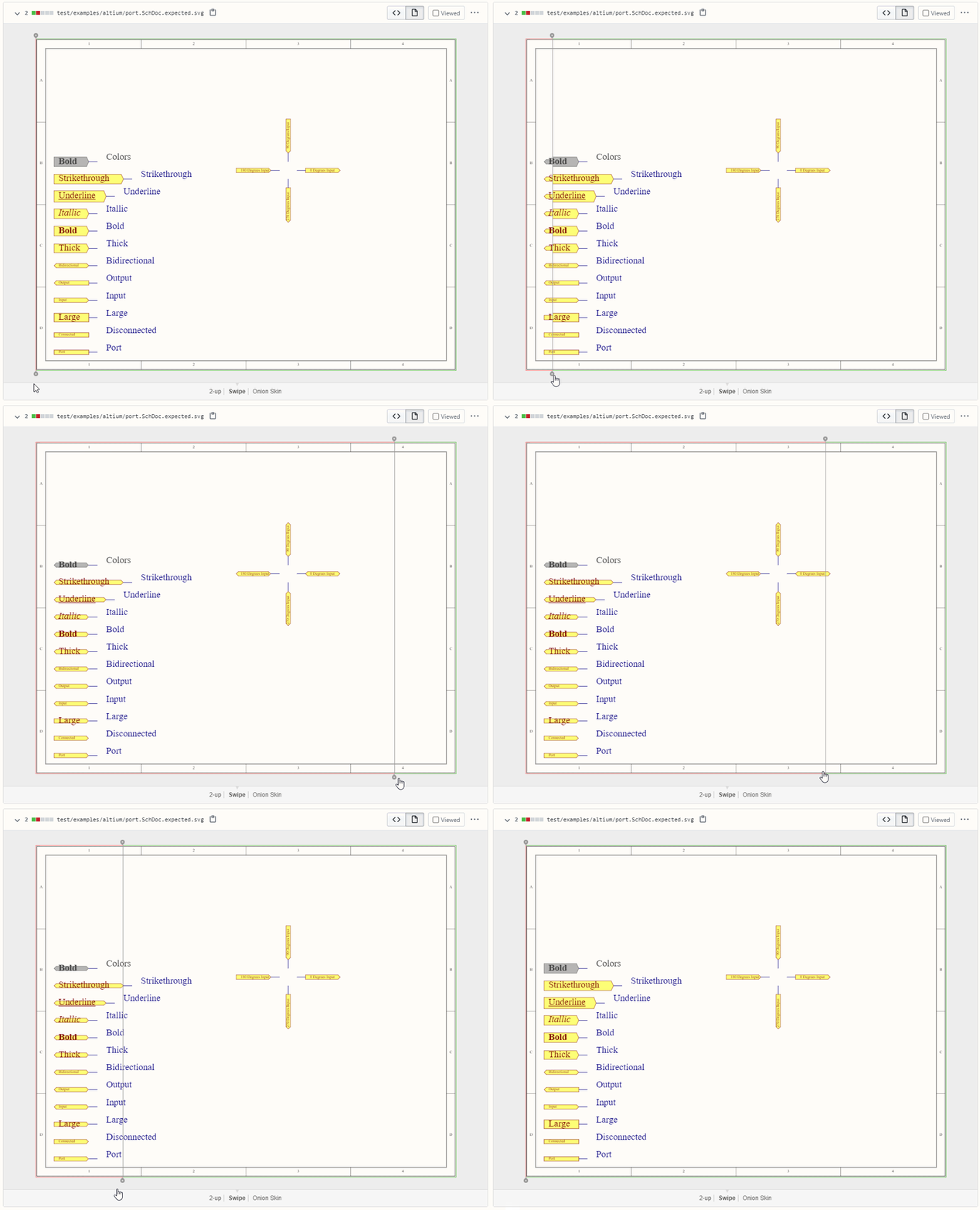
SVG schematic diff used for remote design review.

[Bonus] Understanding the Git hook script

The first half of the githook resolves the install path for the AllSpice render tool.
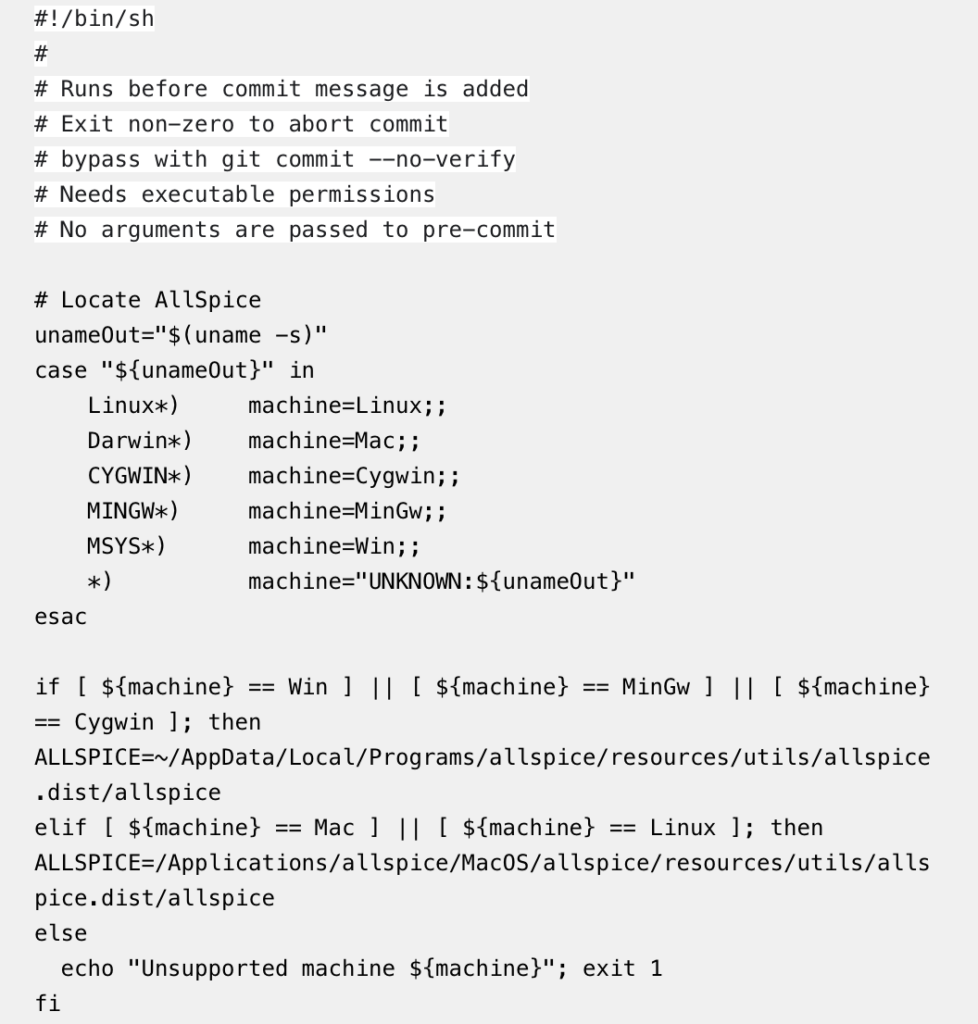
Githook script resolving the install path for the AllSpice render tool.

Next, there is a special case for the first commit, which needs to diff against an empty object.
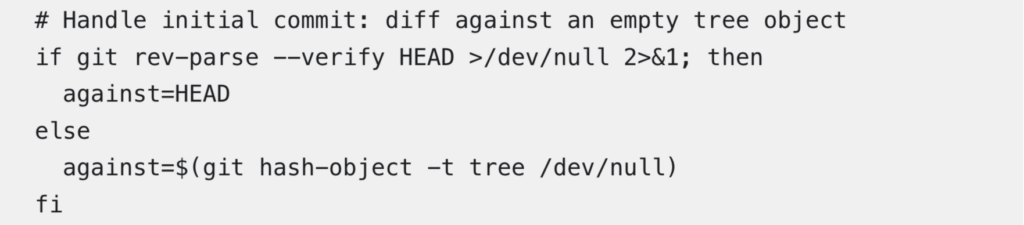
First commit, which is diffing against an empty object.

We then build an array for the modified schematics, as well as the entire list of schematics in the repository.

The building of an array for the modified schematics, and an entire list of schematics in the repository.

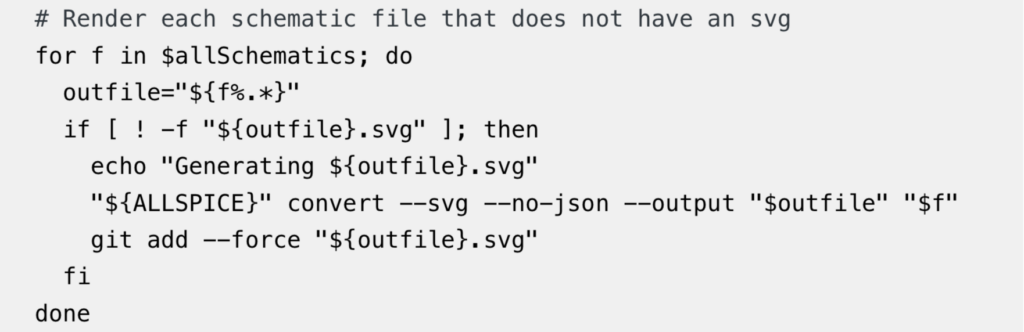
Finally, we traverse the modified array to generate new svgs using the AllSpice CLI and the entire array list to generate an svg for any new schematics.
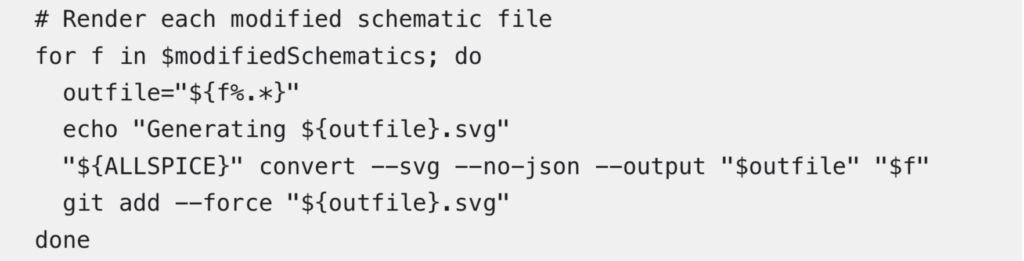
Traversing of the modified array to generate new svgs using the AllSpice CLI.

Traversing of the entire array list to generate an svg for any new schematics.
Newsletter

Be part of our hardware community for occasional engineering resources, guides, and events.
Headshot of a team member

Valentina Ratner

Co-Founder & CEO

At heart, I’m an engineer. I love building real world things and improving the way we build them. Early in my career, I watched capable teams build complex systems using archaic workflows that had not really evolved. AllSpice.io started as an effort to change that and bring modern software practices, and now AI, into hardware development. These days, I don’t build products hands-on anymore, but I get to see them come to live through the teams we support. Originally from Argentina, I moved to Boston for school and earned a B.S. in Mechanical Engineering from Boston University followed by an M.S. in Engineering with a focus on Computer Science and an MBA from Harvard. I now live in San Francisco with my husband, young son, and very sassy miniature schnauzer.

Headshot of a team member

Kyle Dumont

Co-Founder & CTO

I've always been obsessed with building, innovating, and finding novel solutions for emerging technologies. Since early in my career, I've loved the synthesis between physical hardware and digital integration electrical engineering offered, and spent many years taking hardware products from concept to mass-manufacturing. I started AllSpice.io to ensure hardware engineers have all of the data they need to make impactful decisions at their fingertips. I live in the Boston area, and hold a BS in Electrical Engineering from Northeastern University, a MS in Engineering with a focus on Computer Engineering and Machine Learning and an MBA from Harvard, and 5 patents in hardware system integration and sensor design.

Headshot of a team member

Valentina Ratner

Co-Founder & CEO

At heart, I’m an engineer. I love building real world things and improving the way we build them. Early in my career at Amazon, I watched capable teams build complex systems using archaic workflows that had not really evolved. AllSpice.io started as an effort to change that and bring modern software practices, and now AI, into hardware development. These days, I don’t build products hands-on anymore, but I get to see them come to live through the teams we support. Originally from Argentina, I moved to Boston for school and earned a B.S. in Mechanical Engineering from Boston University, an M.S. in Engineering (Computer Science), and an MBA from Harvard. I now live in San Francisco with my husband, young son, and very sassy miniature schnauzer.

Headshot of a team member

Kyle Dumont

Co-Founder & CTO

I've always been obsessed with building, innovating, and finding novel solutions for emerging technologies. Since early in my career, I've loved the synthesis between physical hardware and digital integration electrical engineering offered, and spent many years taking hardware products from concept to mass-manufacturing. I started AllSpice.io to ensure hardware engineers have all of the data they need to make impactful decisions at their fingertips. I live in the Boston area, and hold a BS in Electrical Engineering from Northeastern University, a MS in Engineering with a focus on Computer Engineering and Machine Learning and an MBA from Harvard, and 5 patents in hardware system integration and sensor design.