Electronic design review: why checklists miss the errors that cause re-spins
An electronic design review is the last cheap place to catch a schematic, layout or bill of materials (BOM) error. Most teams still run it as a checklist walked by hand. The errors that reach fab tend to sit between pages and inside datasheets, where a checklist does not look.
Key takeaways
- An electronic design review checks a schematic, PCB layout and BOM against requirements, component datasheets and the design's own intent before fabrication.
- Formal gates such as preliminary and critical design reviews (PDR, CDR) decide whether a design moves forward; change reviews catch what slips in between.
- A fixed checklist only finds what someone already wrote down, so errors that span sheets or live in a datasheet often pass review.
- An automated first pass gives senior reviewers a shorter list; it does not replace their judgment or sign-off.
Most hardware teams already take review seriously. They book the room, invite several senior engineers and walk the checklist line by line. Errors still reach fab, and each one can mean a re-spin: another fabrication run after the fix.
Review load is also rising. The U.S. Bureau of Labor Statistics' BLS electrical engineer outlook states: "Overall employment of electrical and electronics engineers is projected to grow 8 percent from 2025 to 2035, much faster than the average for all occupations." More engineers produce more designs, and they all queue for the same few senior reviewers.
The weak point is the method. A checklist in Excel, walked by hand against a PDF, with screenshots pasted into another tool, is the wrong shape for where errors hide.
What is an electronic design review?
An electronic design review is a structured check of a schematic, PCB layout and BOM before the board is built. Reviewers compare the design against its requirements, the datasheets of its parts and what the designer meant it to do.
The designer usually attends with senior engineers and a layout reviewer. The review produces a list of findings with a decision on each, ending in a sign-off to move forward.
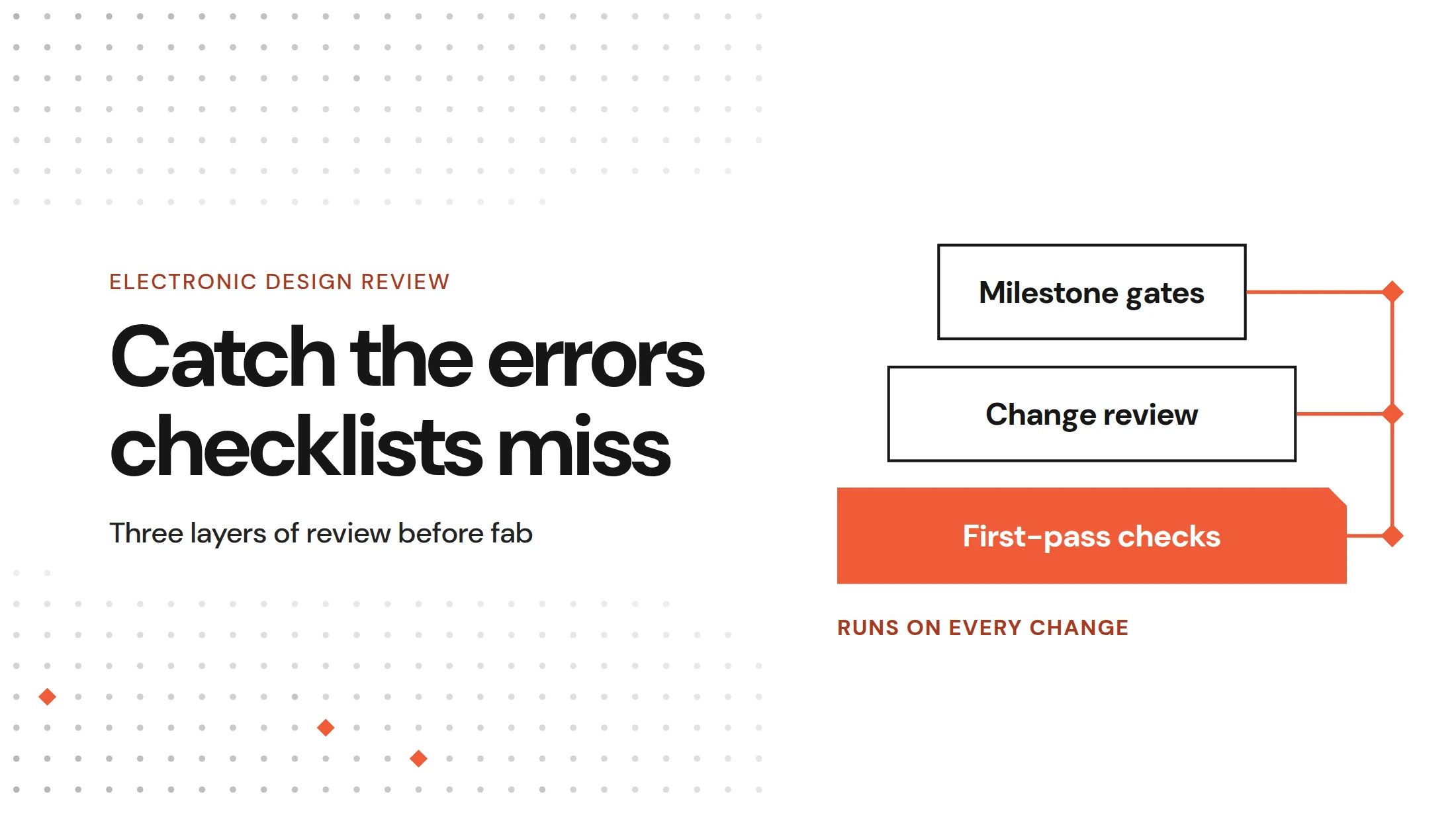
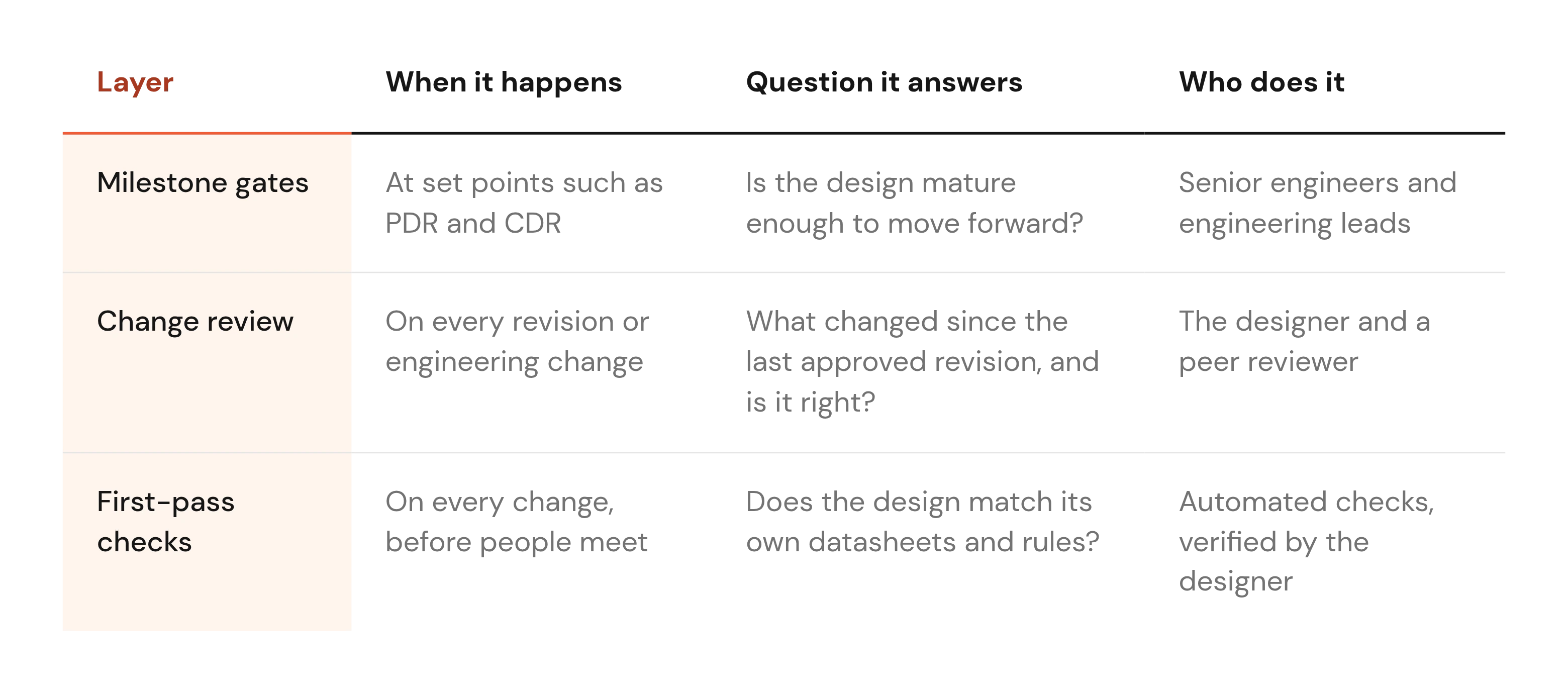
Strong review programs run in three layers, and each layer asks its own question:
Milestone gates decide if the design moves forward
A milestone gate is a formal review held at a set point in a program. The best known are the preliminary design review (PDR) and the critical design review (CDR).
In its NASA systems engineering review criteria, NASA states: "The CDR demonstrates that the maturity of the design is appropriate to support proceeding with full-scale fabrication, assembly, integration, and test." That sets the bar for any hardware gate: the design is ready to build, or it waits.
Preliminary and critical design reviews
A PDR checks the architecture against the requirements. Reviewers ask whether the block diagram and key part choices can meet the spec before detailed design starts.
A CDR checks detailed design maturity before fabrication. By this point the schematic is complete and the layout is close to done.
Both are event-based gates with entrance criteria. Entrance criteria are the conditions that must be true before the review starts, such as a released requirements document or a complete netlist.
Gates work well for big decisions. They are weak at catching one wrong capacitor value, because a gate looks at the whole design once, under time pressure.
Schematic, layout and BOM reviews before release
Before release, most teams split the detailed work into focused reviews. Each one has its own owner and its own checks.
- Schematic connectivity: Every net goes where it should, with pull-ups, enable pins and interface pins wired as intended.
- Schematic ratings: Each part runs inside its voltage and current limits, with derating (margin below the rated maximum) applied.
- Layout: Layout reviewers check placement and routing against the fab's design for manufacturing (DFM) rules.
- BOM lifecycle: Each part is in production, away from end-of-life, and has an approved alternate source.
- BOM values: The value and package on the BOM match the symbol on the schematic.
Write these checks down for each stage so every reviewer works from the same list. Allspice's hardware design review checklist is a starting template you can adapt.
Change review catches what slips in between gates
Designs keep changing after a gate passes. A part goes end-of-life, or a connector moves to fit the enclosure.
Change review checks each of those edits on its own, close to when it happens. It answers a narrower question than a gate does: is this change correct?
Reviewing the diff instead of the whole design
An engineering change order (ECO) is the formal record of a change made after a design is baselined. Late ECOs carry risk because nobody re-reviews a whole board for a two-line change.
Reviewing the diff solves that. A visual diff shows what changed between two revisions of a schematic, layout or BOM, object by object. In Allspice, added objects show in green, deleted ones in red and changed ones in yellow.
Here is a case it catches. A connector moved to a new sheet between revisions, and its net label came with it. Two separate nets on different sheets now shared one name.
A diff puts that moved label on screen while a full re-review of a large schematic rarely would. Change-by-change review depends on version control for hardware, so every revision has an approved baseline to compare against.
Keeping decisions with the design
Many teams still capture review comments as screenshots in JIRA or PowerPoint. The screenshot shows the problem but loses its link to the design object and the revision it came from.
Comments placed on the design object stay attached to it. At the next review, anyone can see what was flagged on U11, who decided and why. That history matters most when the original reviewer has moved to another program.
First-pass checks find what a checklist cannot
A first pass is an automated check run before people review the design. It exists because of a hard limit in the checklist method, the same limit behind Allspice's case for bringing AI into hardware design reviews.
Across Allspice's conversations with hardware teams, a checklist walked by hand catches roughly a third of what is on it. A checklist also only contains what someone already thought to write down. Two classes of error fall outside it again and again.
Errors that live between pages
Page-by-page review looks at one sheet at a time. Some errors only exist when you follow a net across sheets or through several parts. These are anonymised examples from design reviews Allspice has seen:
- Reused net name: After a connector moved, two separate nets on different sheets shared one name. Each sheet looked correct on its own.
- Reversed differential pair: A differential pair (two signals carrying opposite polarities) flipped once across three components. Finding it took more than two weeks of field debug.
- Swapped JTAG pins: The JTAG test port inputs and outputs were swapped between an IC and its connector.
Many checklists include a line like "check differential pair polarity." That line still misses a single flip that only shows when you trace the pair through every part it touches.
Errors that live inside datasheets
Every part carries its own rules in its datasheet. A board with forty parts has forty sets of rules, and no fixed checklist holds them all. More anonymised findings show the pattern:
- Wrong capacitor value: The datasheet called for 10 uF on page 3. The design had 310 nF.
- Under-rated ESD diodes: 3.3 V electrostatic discharge (ESD) protection diodes sat on a 4.6 V level translator.
- Low-voltage capacitors: 6.3 V capacitors sat on a 5 V rail, leaving little room for derating.
- Floating enable pin: A regulator enable pin was left floating. About one board in twenty failed.
Scale makes this harder. One server board Allspice worked on had over 1,000 components, and each needed a derating check by hand.
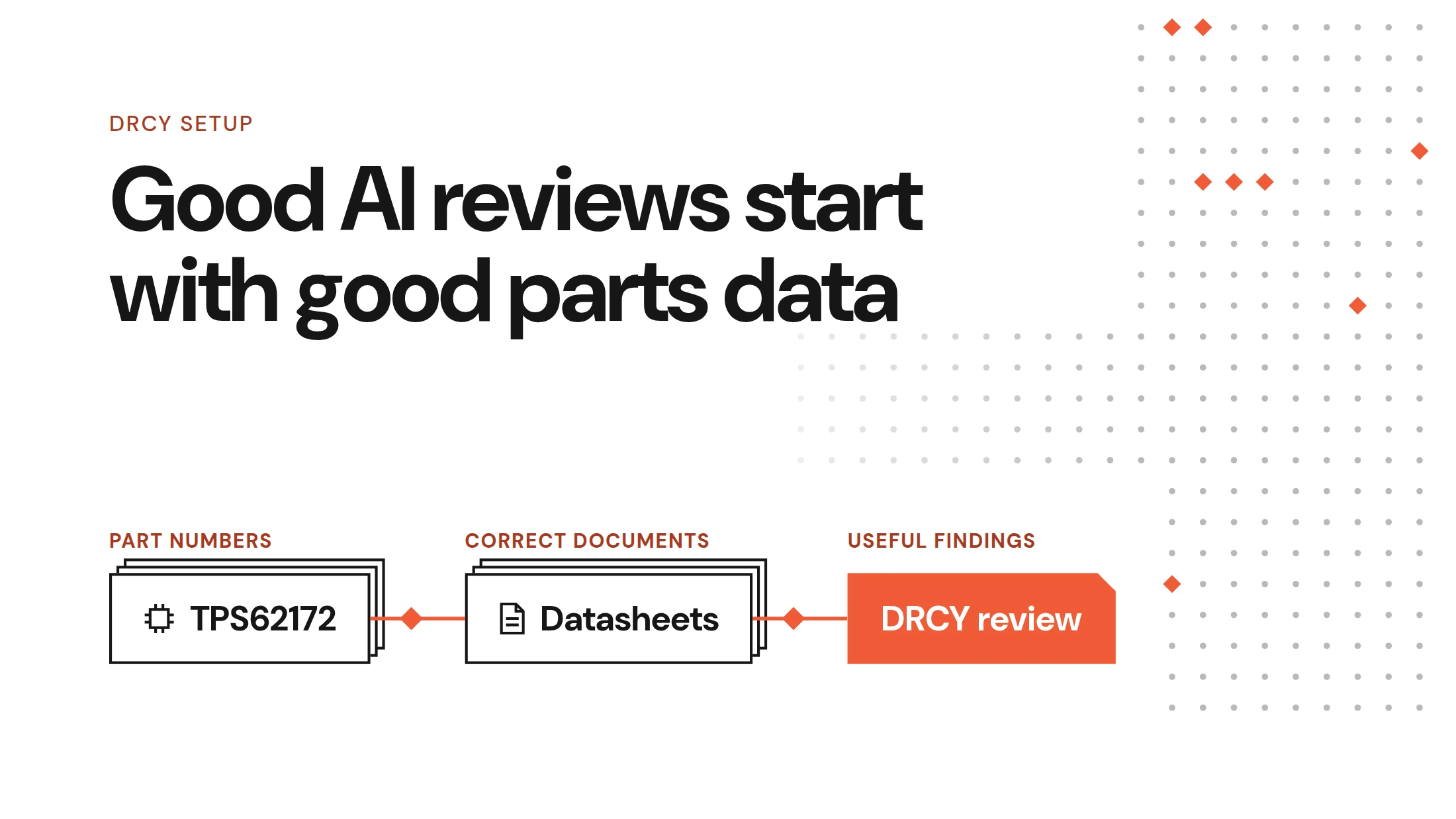
Datasheet-derived checks are what Allspice's AI-powered schematic review, DRCY, is built for. DRCY reads the datasheets of the parts in your design, derives requirements from them, follows nets across parts and runs the calculations. Each finding cites the datasheet page it came from, so you can check the reasoning yourself.
DRCY checks schematics only. Layout review stays with your layout reviewers and the rule checks in your ECAD (electronic computer-aided design) tool.
How to run an electronic design review
The three layers turn into five steps. Each step fits into a review process your team already runs.
1. Define what each review stage must check
Start with entrance criteria for each gate. A CDR might require a complete schematic and a closed list of PDR findings.
Then give each stage its own checklist. Schematic, layout and BOM reviews need different checks, and one shared list grows until nobody finishes it.
Name an owner for every checklist. When a check keeps failing, the owner moves it into the first pass so people stop spending meeting time on it.
2. Run an automated first pass before people meet
Run checks on every change, before anyone books a meeting. Rules-based checks cover fixed items, such as BOM lifecycle status or net naming rules. Datasheet checks cover the part-specific items.
Continuous integration (CI) means running checks automatically each time a change is pushed. Allspice runs both kinds of checks through CI/CD automations for electronics, so every revision gets the same treatment.
Every finding should cite its source, so the designer can verify it in a minute. When a finding is wrong, mark it wrong. In DRCY, those corrections persist, so the same false alarm does not return on the next run.
3. Give the first pass your design intent
A schematic records connections. It does not record intent, such as which rail is 3.3 V or which derating rule your team follows.
Tell the first pass what you meant. State the rail voltages and upload the spec, including your team's derating rules. We recommend intent being communicated on schematic notes, which DRCY can absorb.
Context is the biggest lever on first-pass quality. Without it, the checks can only compare the design against itself and its datasheets.
4. Spend the meeting on judgment
With the first pass done, senior reviewers start from a shorter list. The routine checks are already closed or flagged.
That frees the meeting for work only people can do: architecture choices and trade-offs, and system-level risk such as thermal margin or how the board behaves inside the full product.
Allspice's guide to running thorough design reviews covers a meeting format that works.
5. Close every finding with a decision
Every finding ends in one of two states. It gets fixed, or it gets waived with a written reason.Assign each finding to an owner as an Issue in Allspice, so nothing stays open by accident.
What a layered review catches, and what it leaves to people
Hand-walked checklists cannot see across pages or inside forty datasheets. Layering the review closes much of that gap.
The first pass has limits. AI findings can be wrong, and they are wrong more often on unfinished designs. Layout and system-level judgment stay with people, and engineers still sign off.
So test a first pass the way you would test a new hire. In one seeded-error test, a customer planted known errors in a design, and DRCY found every one plus one nobody had planted. Try the same on your own board, and read more about the limits of AI review.
FAQs
What is the difference between a design review and a DRC?
A design rule check (DRC) and an electrical rule check (ERC) are rule checks built into your ECAD tool, like clearance limits or unconnected pins. A design review judges whether the design meets its requirements and intent, which no rule check can confirm on its own.
When should you hold an electronic design review?
Hold a formal electronic design review at each milestone gate, such as PDR and CDR. Between gates, review every significant change before release, so late edits get checked against the last approved revision.
Can AI replace a human electronic design review?
No, AI works best as a first pass that shortens the list before people meet. Its findings can be wrong, so engineers still judge each one and sign off on the design.